The phone app
The phone app (phone-app/, Expo / React Native, TypeScript strict) is the
remote control and the pocket brain: pairing, the three switches, every
toggle, message approval, and a phone-sized view of everything the Brain
knows. Seven tabs — Brain, Now, Look, Messages, People, Memories,
Settings — plus hidden screens reached from Settings and Now (Brief,
Plugins, Waypath, Capabilities, Device Vitals, Feel, Ember, Rewind, Saga,
Profile, Rehearsal, Confluence, and the Cloud and Brain-tier views) and a
six-step onboarding.
Every screenshot in this chapter is the real app: the repository's code
exported to web (npx expo export --platform web) and captured headlessly
at phone size, running in Demo Mode — the app's own labeled sample data
(see below), which is exactly what a new user sees when they tap "Explore
with sample data". Nothing is mocked up; the fixtures ship in the app.
Demo Mode — alive with no hardware
enableDemo() in the brain store flips one flag and the whole app fills:
every store getter serves labeled fixtures (src/demo/fixtures.ts — a
plausible day of briefs, people, memories, messages, saga progress, rewind
blocks) whenever demoMode is on, the glasses card shows a connected
HALO-DEMO, and a persistent DemoBanner sits at the top of every
screen with a one-tap exit, so sample data can never be mistaken for your
life. Fixtures use fixed timestamps — nothing is generated, nothing is
fetched. Exiting demo restores the honest empty states. It is reachable
from onboarding and from Settings.
State: one store
src/state/useBrainStore.ts (Zustand) is the source of truth for
connections and toggles; three sibling stores carry the newer surfaces —
usePeopleStore (the social memory), usePluginStore (the plugin store;
the phone never runs plugin code, it posts install intent to the paired
Brain), and useRehearsalStore (the live Reality Compiler bridge). The
brain store holds:
connection state for the Mac mini (URL, token, relay URL) and glasses, the
three switches, and every toggle. A whitelisted snapshot persists to
AsyncStorage under the key dreamlayer.brain.v1 and rehydrates on launch.
Two derived reads keep the UI honest: brainKind() ("phone" until a Mac is
connected) and effectiveCloud() (always false while incognito).
Server calls go through brainFetch: try the LAN URL from pairing; on
failure, fall back to the relay URL if one was paired. Seam: the relay
itself — host any secure tunnel to the Brain and put its URL in the pairing
bundle; the client already prefers LAN and falls back. Setting the cloud or
incognito switch also syncs the Brain (POST /dreamlayer/config with
cloud_enabled / network_mode), so phone and panel never disagree.
Three newer pieces make that connection honest under real-world networks:
- One connection truth (
src/state/useConnectionStore.ts) — a single reachability store with four states and four plain labels: "Brain: home", "Brain: away — via relay", "Brain: unreachable — still remembering locally", "No Brain paired". Two consecutive probe failures flip it offline; one success recovers it instantly. - The config outbox — a settings change that cannot reach the Brain is merged, persisted, and kept as pending sync (never silently dropped); the moment the connection store sees a recovery, the outbox drains.
- Offline caches — the Memories and People stores hydrate from their last-known snapshots on launch, so the app shows what it knew before any network round-trip.
Brain — the hub tab
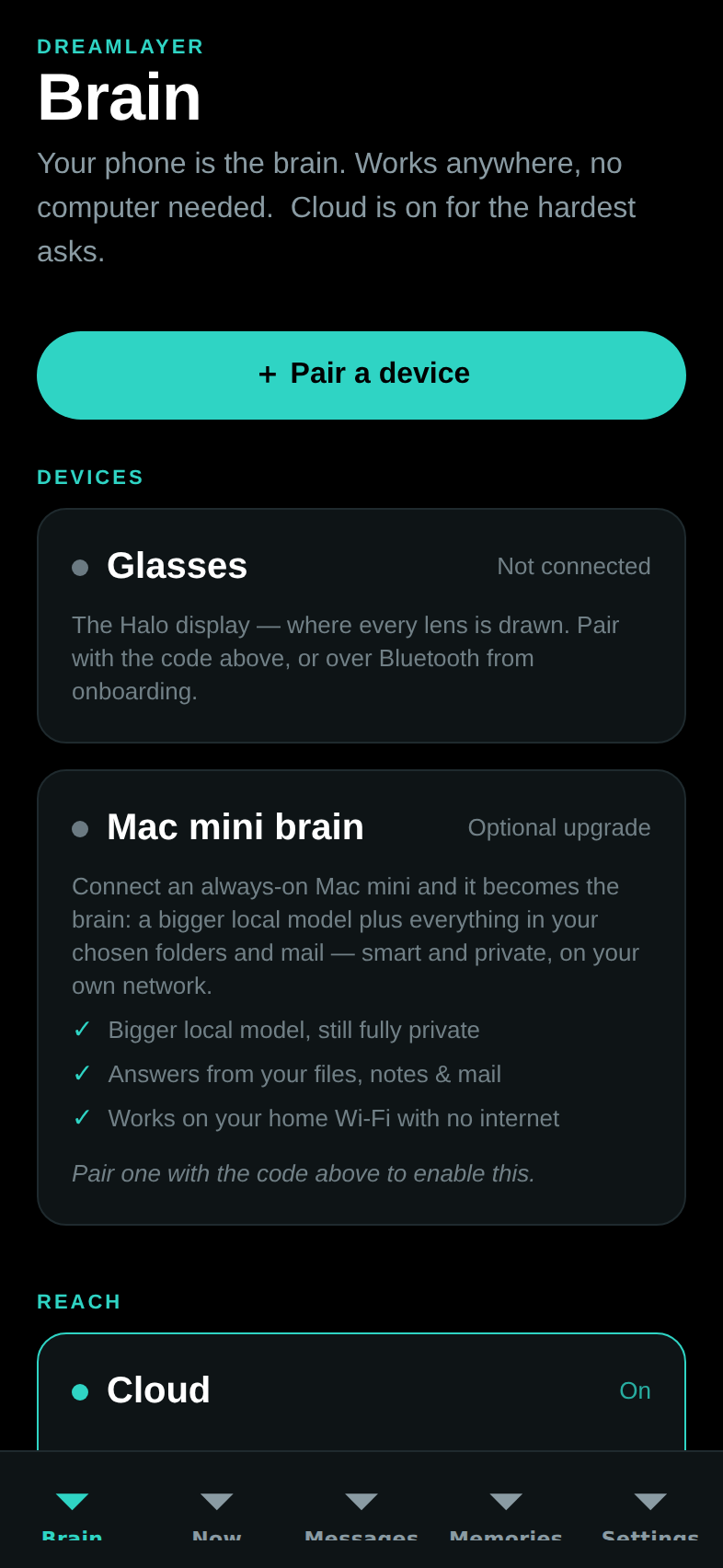
The first tab in the bar, and the home for your setup (day to day, a cold launch lands on Now):
- Pair a device — scan the panel's QR (expo-camera, with a paste
fallback) or paste the
dreamlayer:code; one code wires Mac mini and glasses at once, with success haptics. - Devices — Glasses (status, forget) and Mac mini (status, its three benefit bullets, connect/disconnect — "Use phone as brain instead").
- Reach — the Cloud switch, disabled while incognito.
- Privacy — Incognito and Pause memory capture.
- Ask your brain — a query box straight to
POST /dreamlayer/brain/ask, rendering the answer with its tier. - Upcoming (when a Mac is connected) — agenda from the Brain, calendar sync button, quick add.
- Recent activity (when connected) — the first eight items of the unified feed.
- What your brain can do — the six-lens overview.
Now — the live mirror
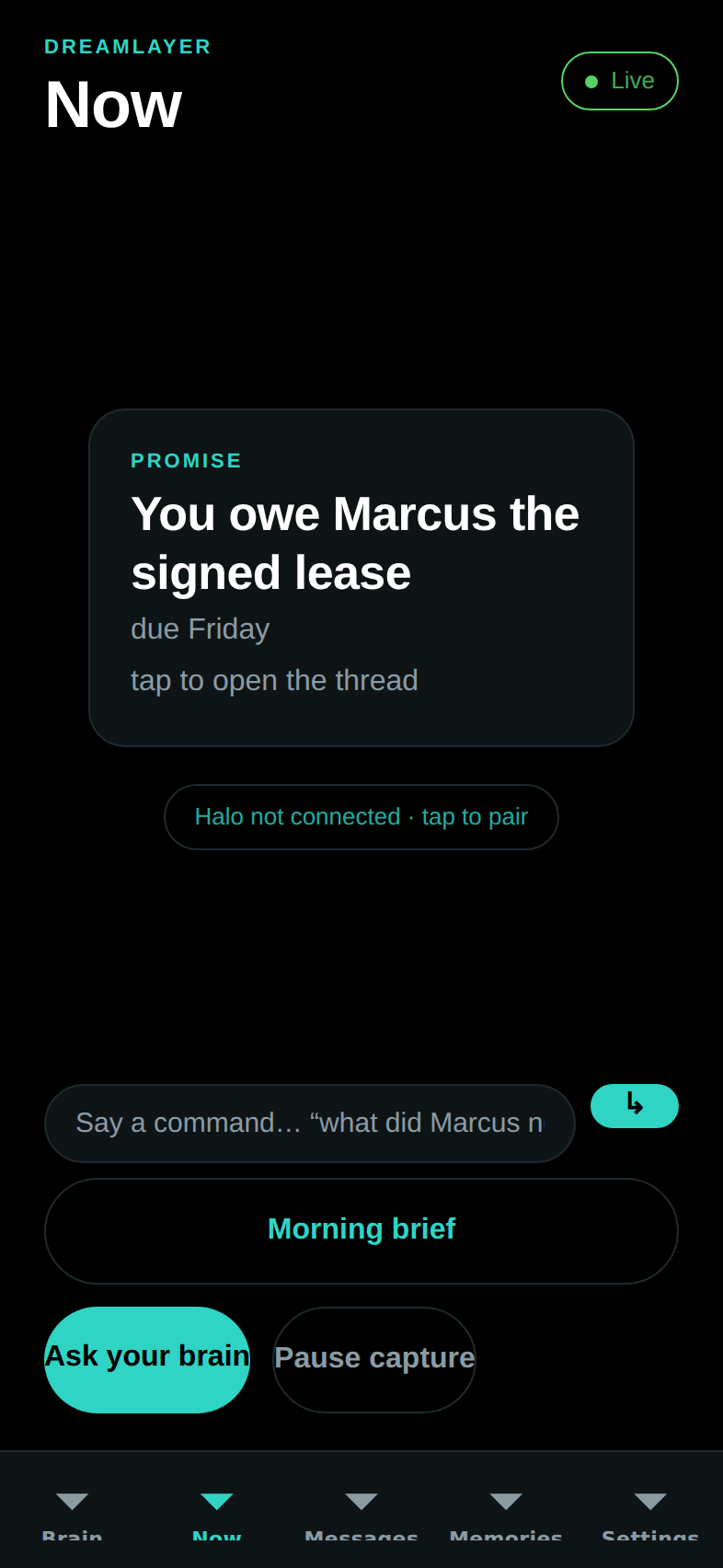
What the glasses are doing right now: a HaloMirror stage showing the last
card (or the paused state), a Live/Paused status pill, the latest morning
brief, a voice-command box that routes the same intents as Juno
(brief / answer / reply), and quick actions (brief, ask, pause/resume
capture). It polls GET /dreamlayer/brief/latest every 90 seconds and fires
a local notification when a genuinely new brief arrives.
Look — the deliberate camera tier
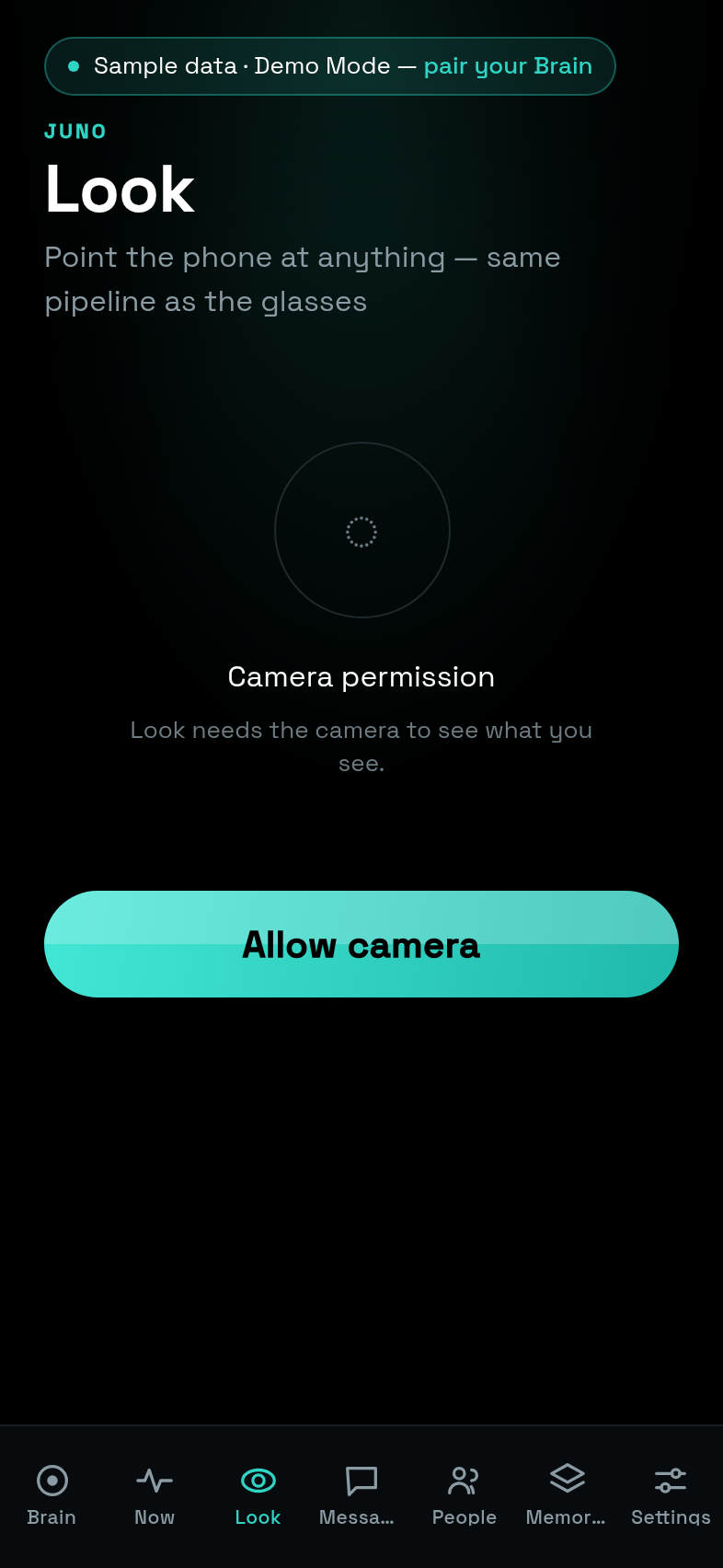
New enough to have earned a tab: point the phone at anything and one
photo rides POST /dreamlayer/brain/explain — the same pipeline the
glasses use, with the answer stamped by the tier that produced it
("answered by: laptop"). The camera module loads lazily; no camera or no
permission degrades to an honest empty state ("No camera here"), never a
crash — which is exactly what the web export above shows.
Messages — hands-free relay
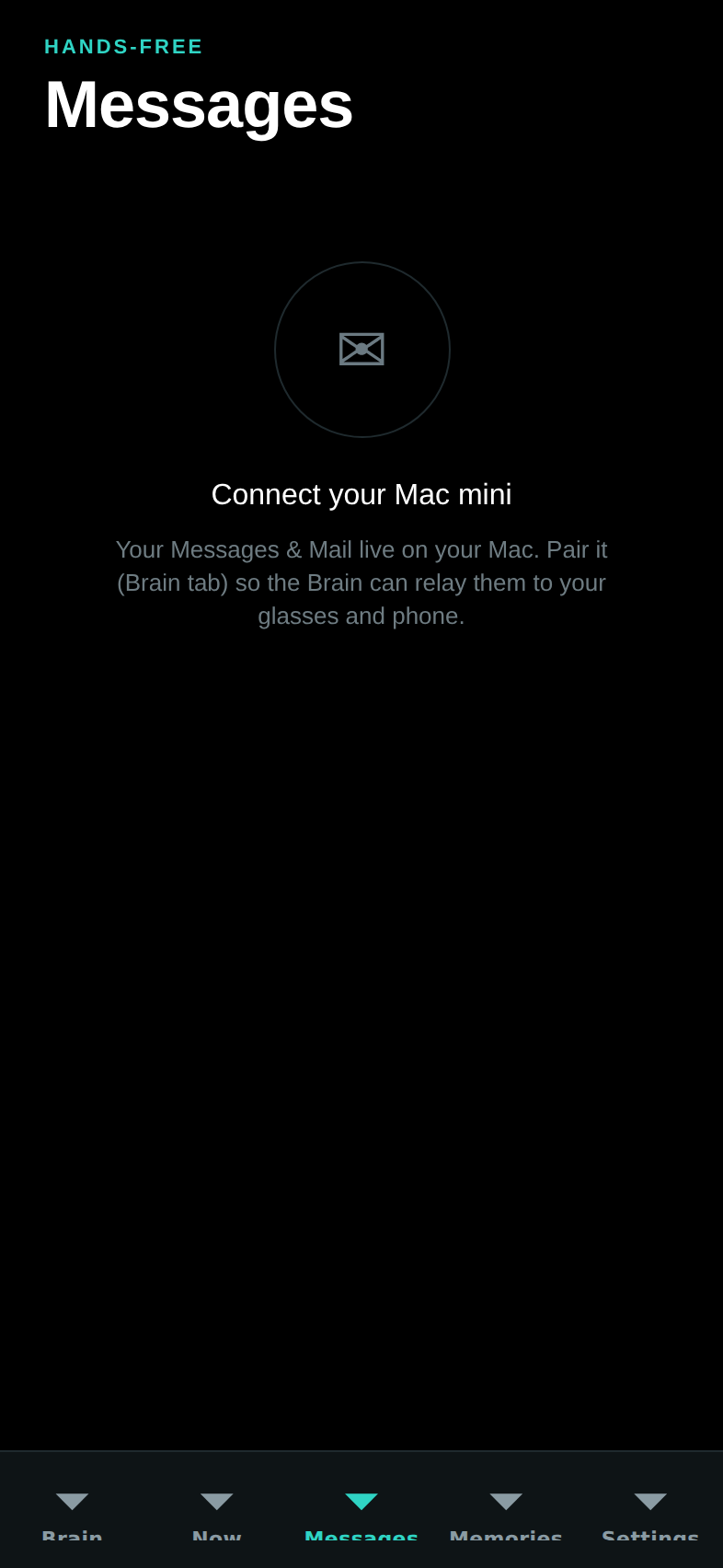
The Brain's Messages and Mail feed (12-second poll), with per-channel local
notifications. Tapping a message opens the reply pane: three AI-suggested
replies (POST /dreamlayer/replies) as tap-to-fill chips, then Approve and
send — which is the only send path, and it posts approved: true
explicitly. Gated empty states cover no-Mac, relay-off, and no-messages.
People — your social memory
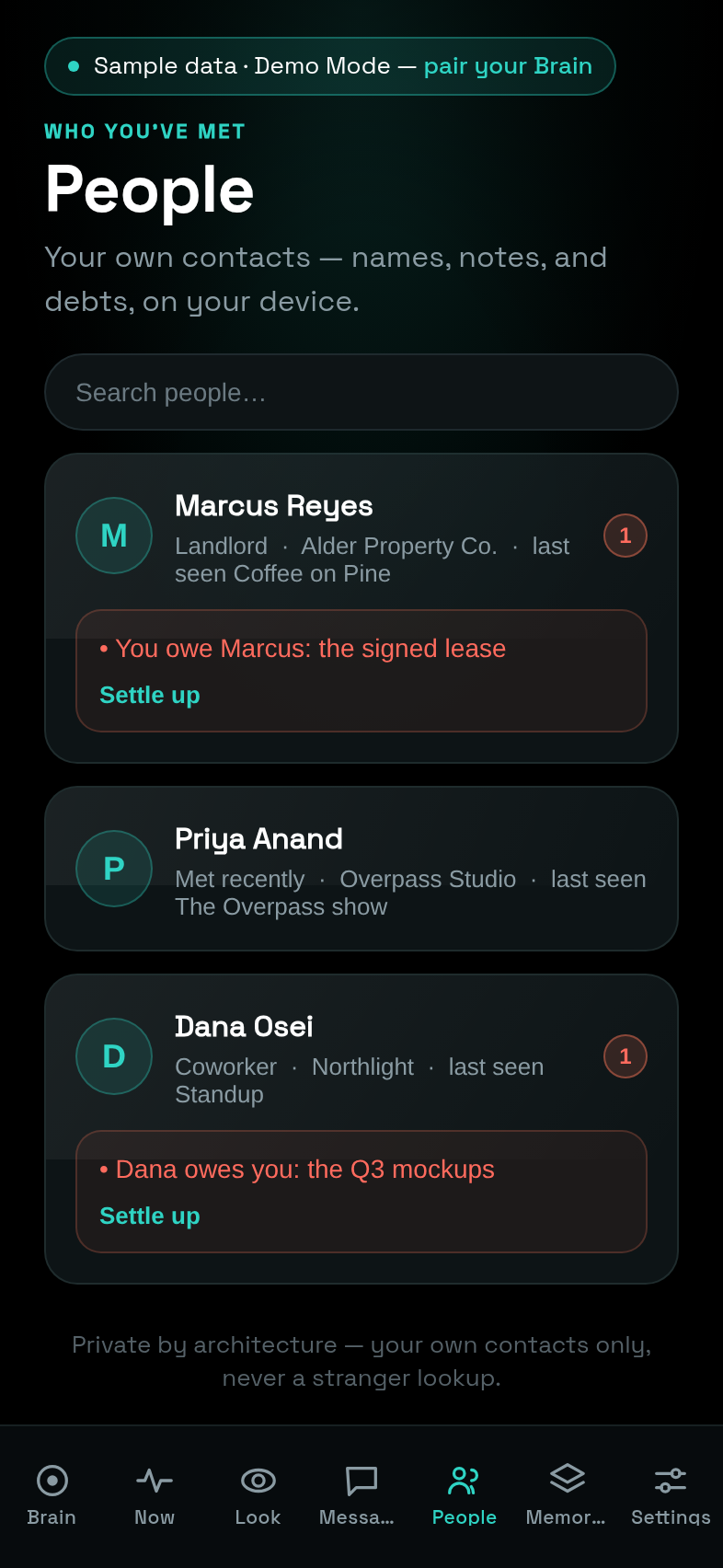
Everything the Social Lens knows, readable and editable: search across
names, relationships, and notes; per-person cards with the relationship
line, last seen, expandable notes (add or remove by hand), the topics you
two return to, and open debts in a coral box with a one-tap Settle up.
It reads the Brain's mirror (GET /dreamlayer/social/people) and edits
through POST /dreamlayer/social/people/edit — the same record the glasses
build when you say "this is my colleague Sarah" or "Marcus owes me $20".
The footer states the contract: your own contacts only, never a stranger
lookup.
Memories — recall, grouped by day
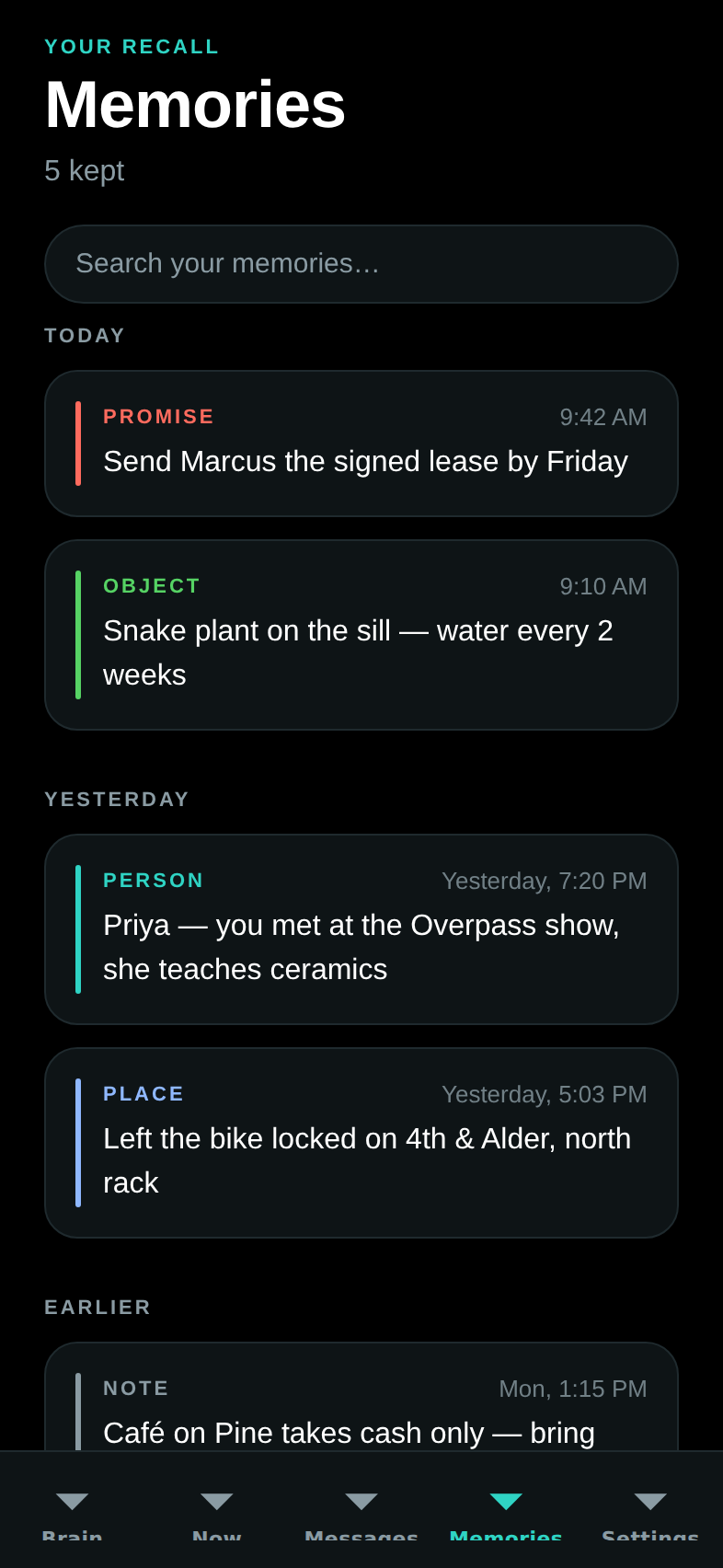
Today / Yesterday / Earlier groups, kind-colored (promise, person, object,
place, note), with local search — and now backed by the real thing: with a
Mac connected it pulls GET /dreamlayer/memories, the Brain's assembled
recall (saved places from Waypath, people met, owed favors, dated
reminders), merged with the local store. The search box gains a second
stage too: ask your files and mail, rendered as a "From your Brain" card
with sources.
Settings — every toggle
| Privacy and relay | Juno |
|---|---|
 |
 |
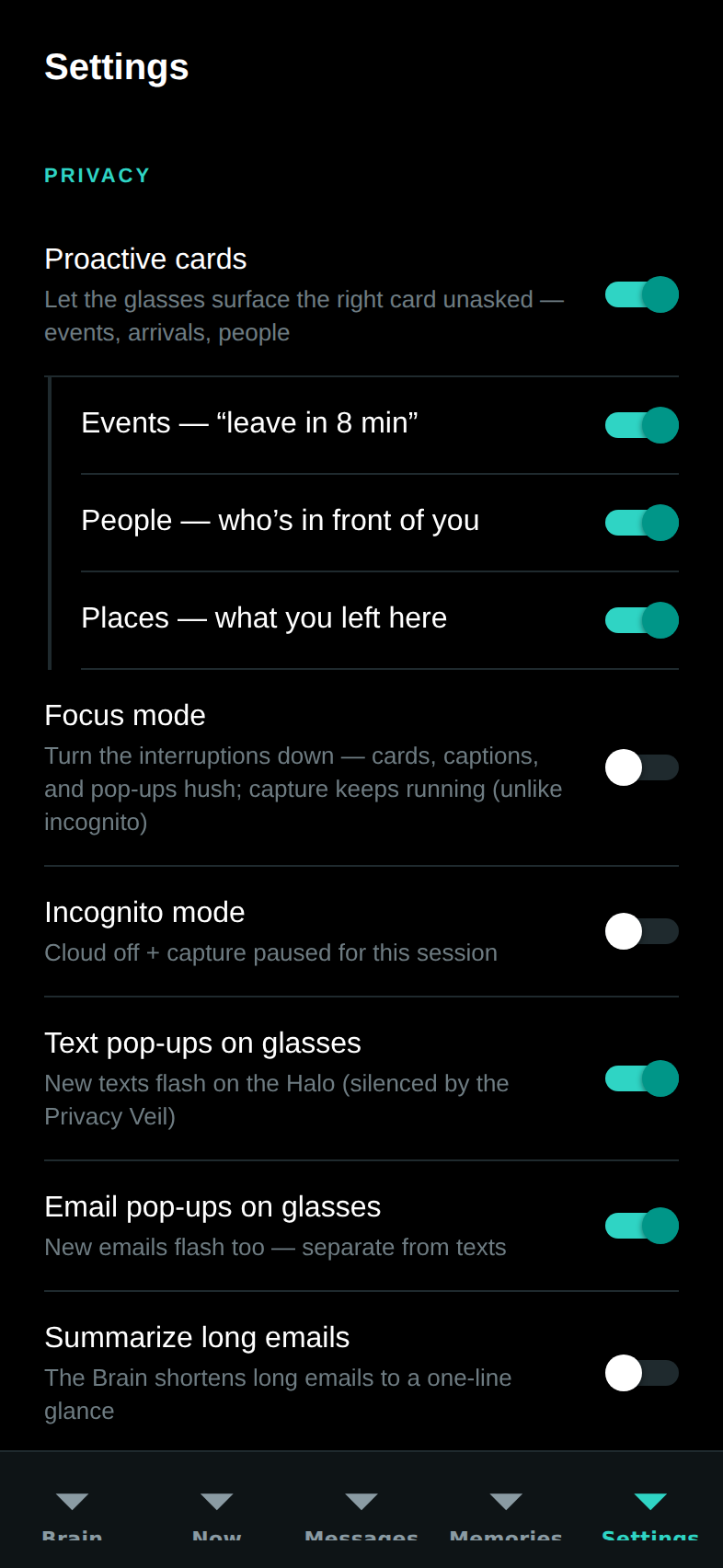
- Privacy: Proactive cards with nested Events / People / Places cues, Focus mode, Incognito, Text pop-ups, Email pop-ups, Summarize long emails, Pause memory capture.
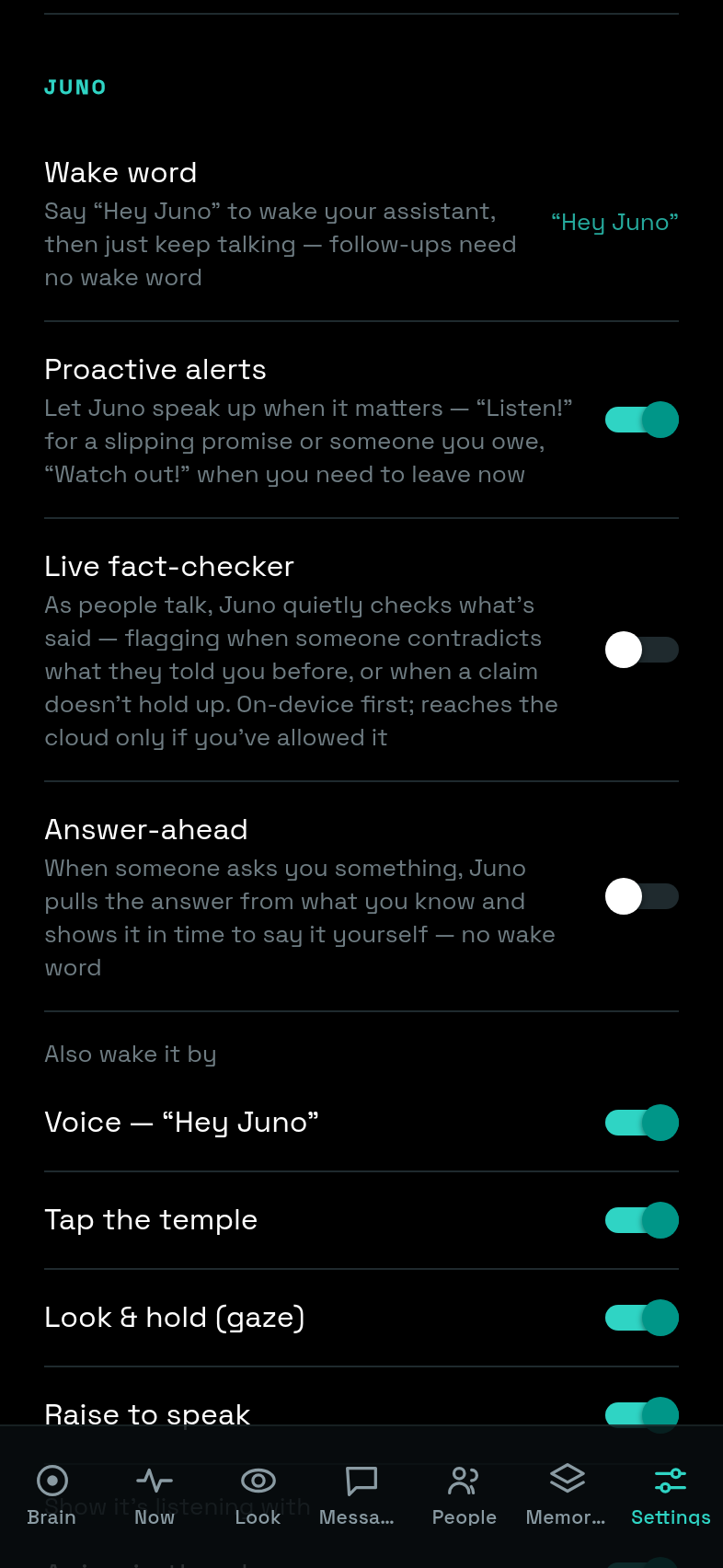
- Juno: the wake word (fixed "Hey Juno" today), Proactive alerts, Live fact-checker (Veritas), Answer-ahead, wake sources (voice, tap, gaze, raise), and listening feedback (visual, audio, haptic).
- Devices and brain: glasses status and the link to the Brain tab.
- Labs: Saga, Profile, Rewind, Rehearsal, Confluence — joined by Waypath, Capabilities, Device Vitals, Feel, and Ember (the memories-you-tend practice; see the lens set), plus "What the cloud can see" and the live Brain tier ladder.
- Explore: the Demo Mode switch ("Explore the whole app with labeled sample data — no glasses or Mac needed").
- Danger zone: Erase all memories (confirmed) — it clears the local
memory store and reaches the paired Brain
(
POST /dreamlayer/memories/purge), which drops every saved place while deliberately leaving people and reminders (they are mirrors of their own surfaces with their own remove controls). Erase now also clears the on-disk cache, so a purge can no longer un-delete itself on the next launch.
The full toggle-to-effect table, with defaults and the endpoints each drives, is in Settings and modes.
Labs screens
| Rewind | Saga | Profile |
|---|---|---|
 |
 |
 |
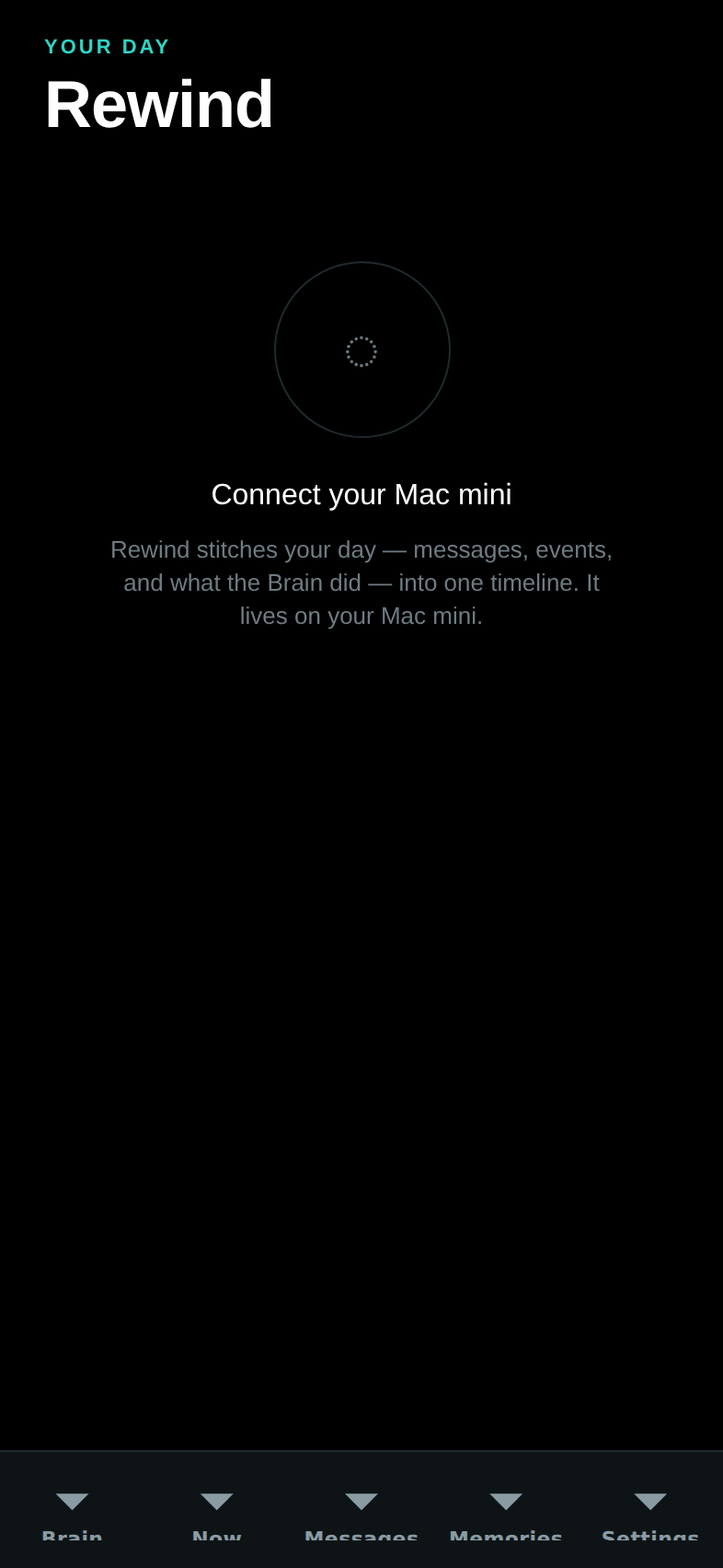
- Rewind — today's hour blocks from
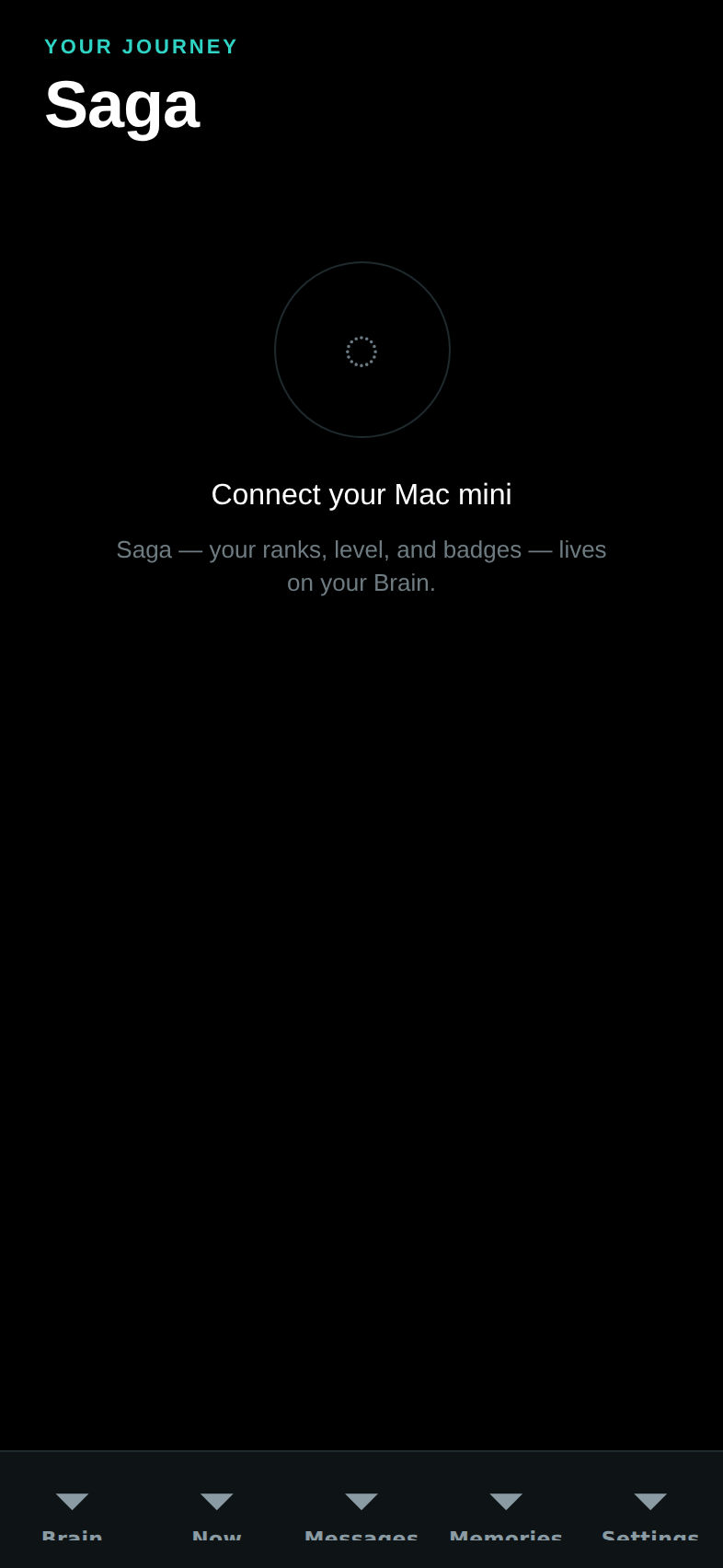
GET /dreamlayer/rewind(the same day the glasses scrub), color-coded by kind. - Saga — rank, XP bar, and the achievement ledger; see Progression.
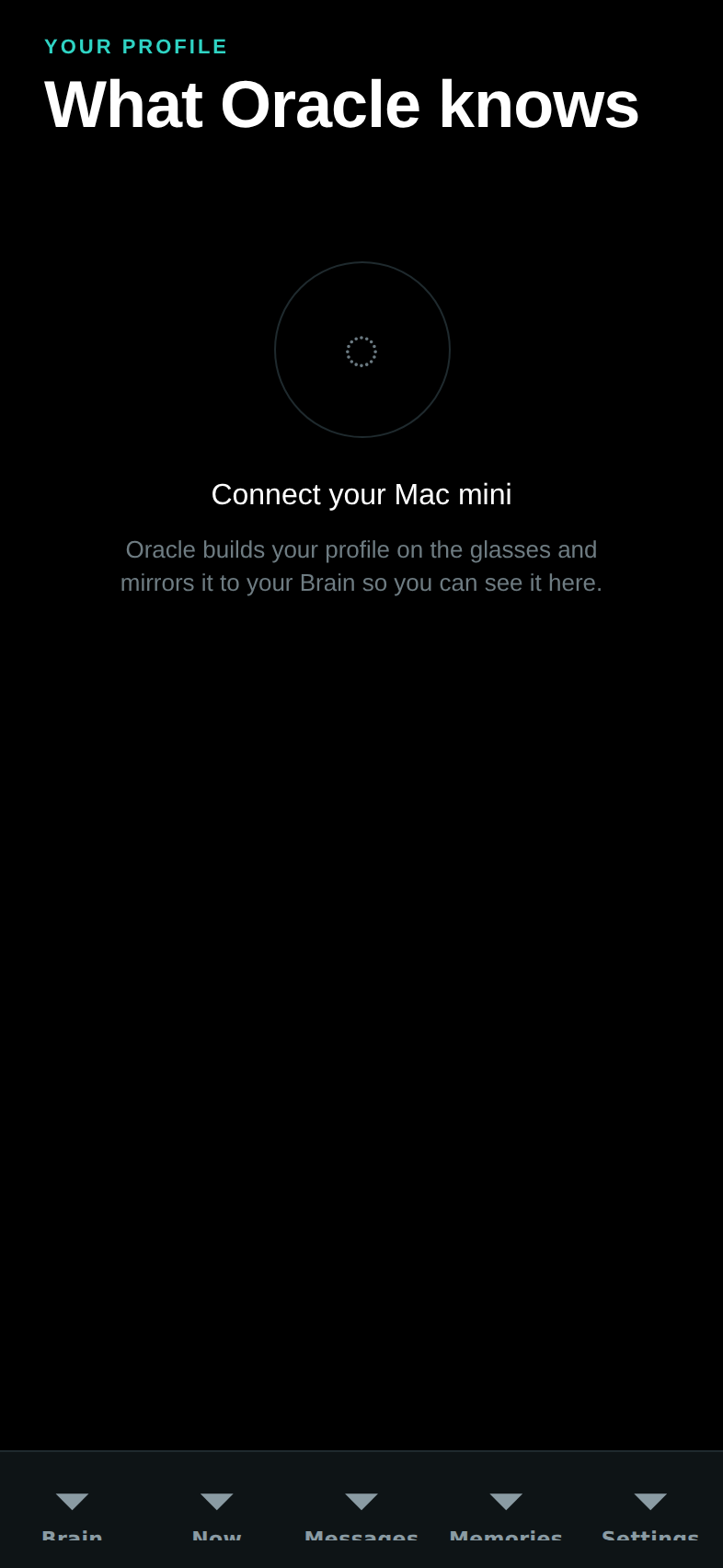
- Profile — "What Juno knows about you": the mirrored user model.
| Rehearsal | Confluence |
|---|---|
 |
 |
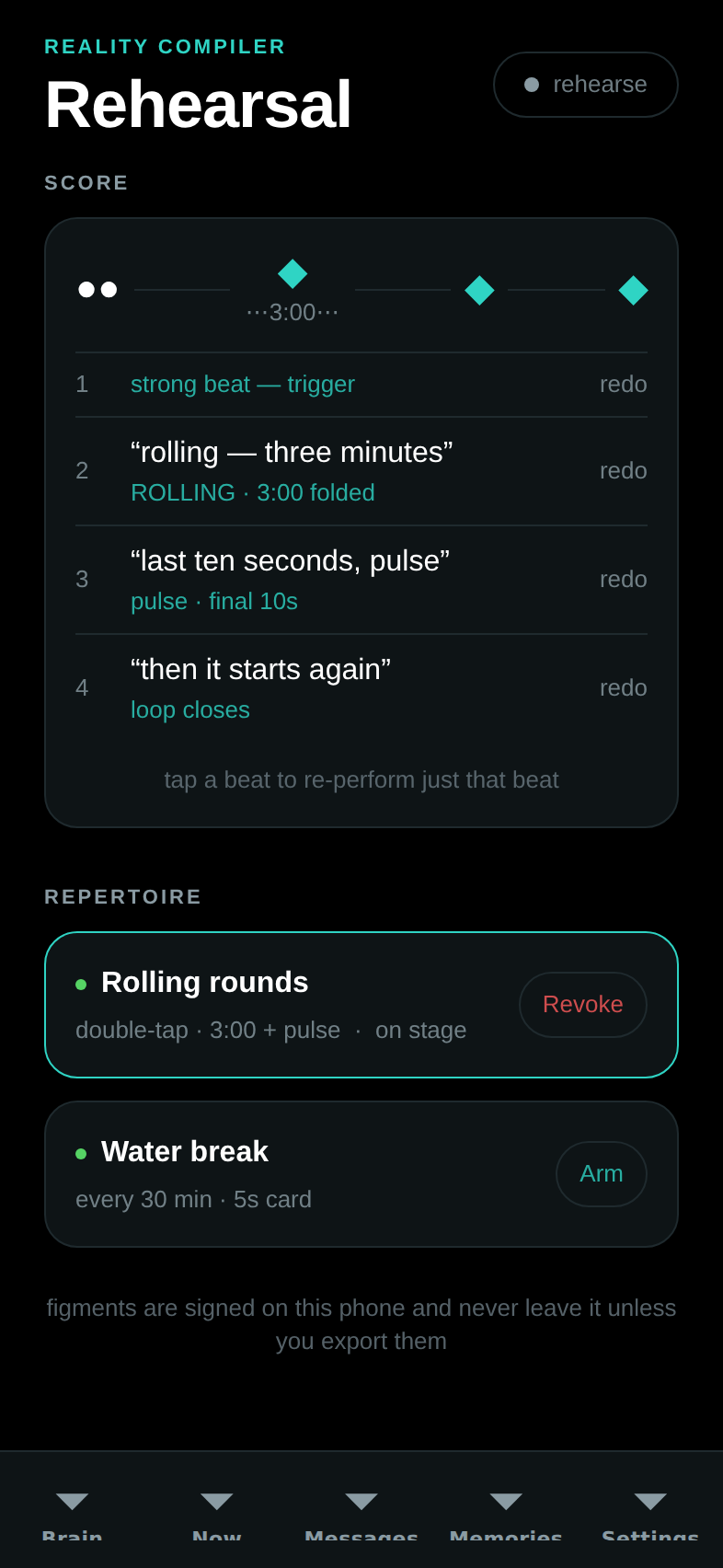
- Rehearsal — the Reality Compiler studio, now live end to end:
every beat you perform (tap, double, hold, or a spoken beat via the
keyboard's dictation) round-trips
POST /dreamlayer/rc/rehearse, the score and budget proof render from the Brain's real reply, Keep signs the figment into the vault, and Arm / Revoke driverc/deploy/rc/revoke. The remaining seam has narrowed: the whole loop — including a running lens talking back to the Brain — is closed and tested in TypeScript; what's left is the native BLE transport itself, so deploys record their exact envelopes until a Halo attaches. - Brief — the extended morning brief, in sections (Today, Due, Waiting
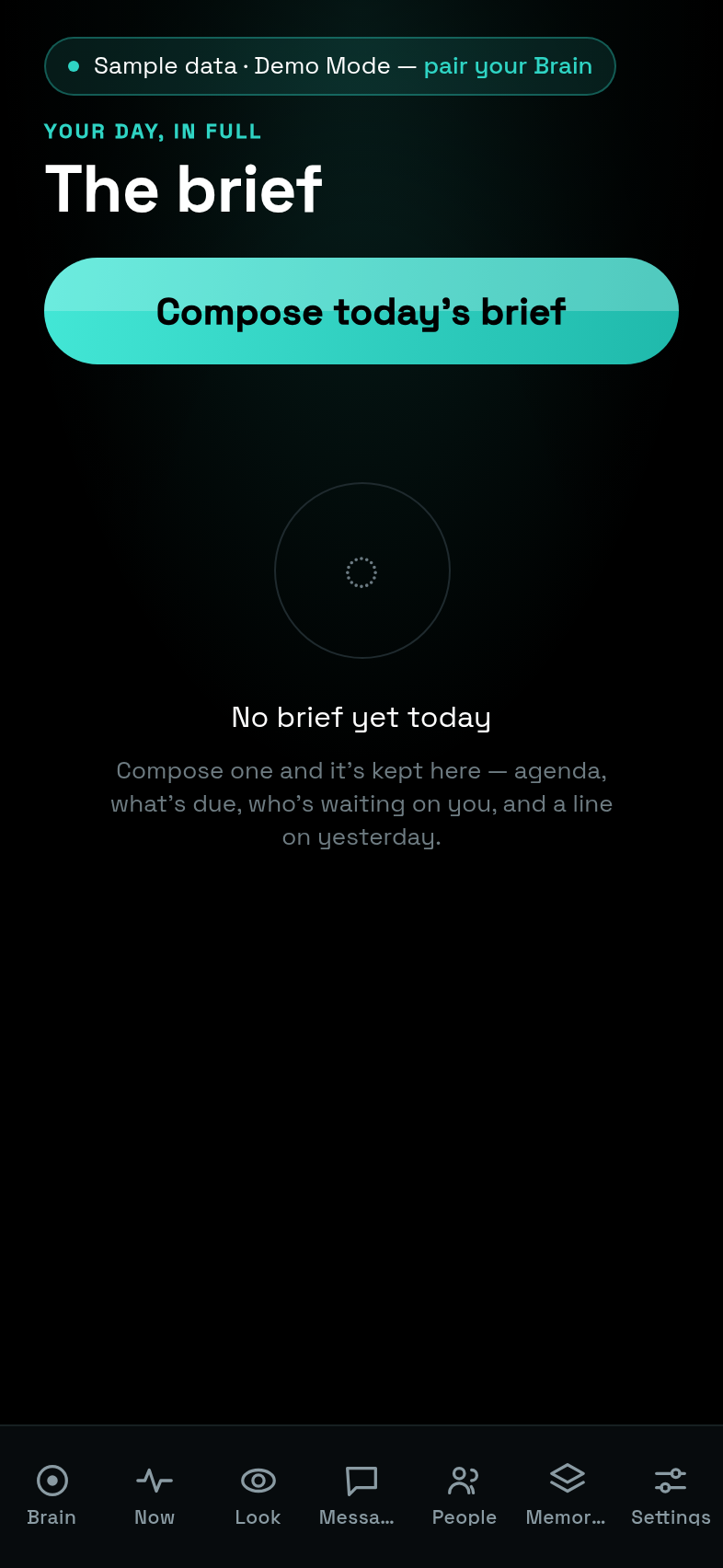
on you, Messages, Yesterday), composed on demand via
POST /dreamlayer/briefwithdepth: "long"and stored to read offline. Reached from the Now tab's brief card.
- Plugins — the store: browse and search the registry, Featured / Top
rated / Downloads tabs, one-tap star ratings, and a permissions alert
before any install. Installs are real now: the phone fetches the package
and sideloads it to the paired Brain, surfacing the Brain's actual
validation verdict; with no Brain paired the install queues locally and
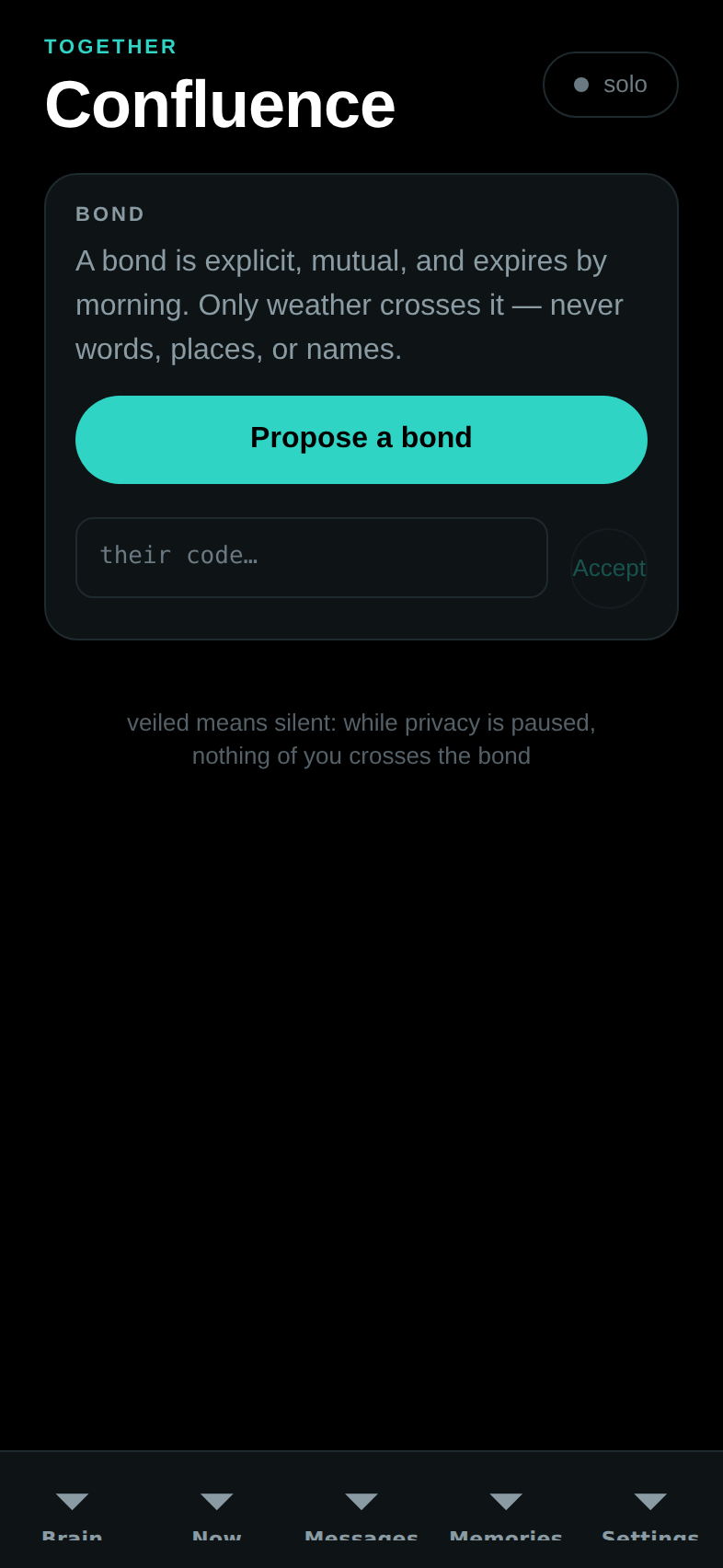
flushPendingdelivers it the moment one pairs. See The platform. - Confluence — the bond lifecycle (propose, accept, live), togetherness, TinCan pings, weather gifts. Presentational until live bond streaming lands.
The new Labs screens
| Waypath | Feel | Capabilities |
|---|---|---|
 |
 |
 |
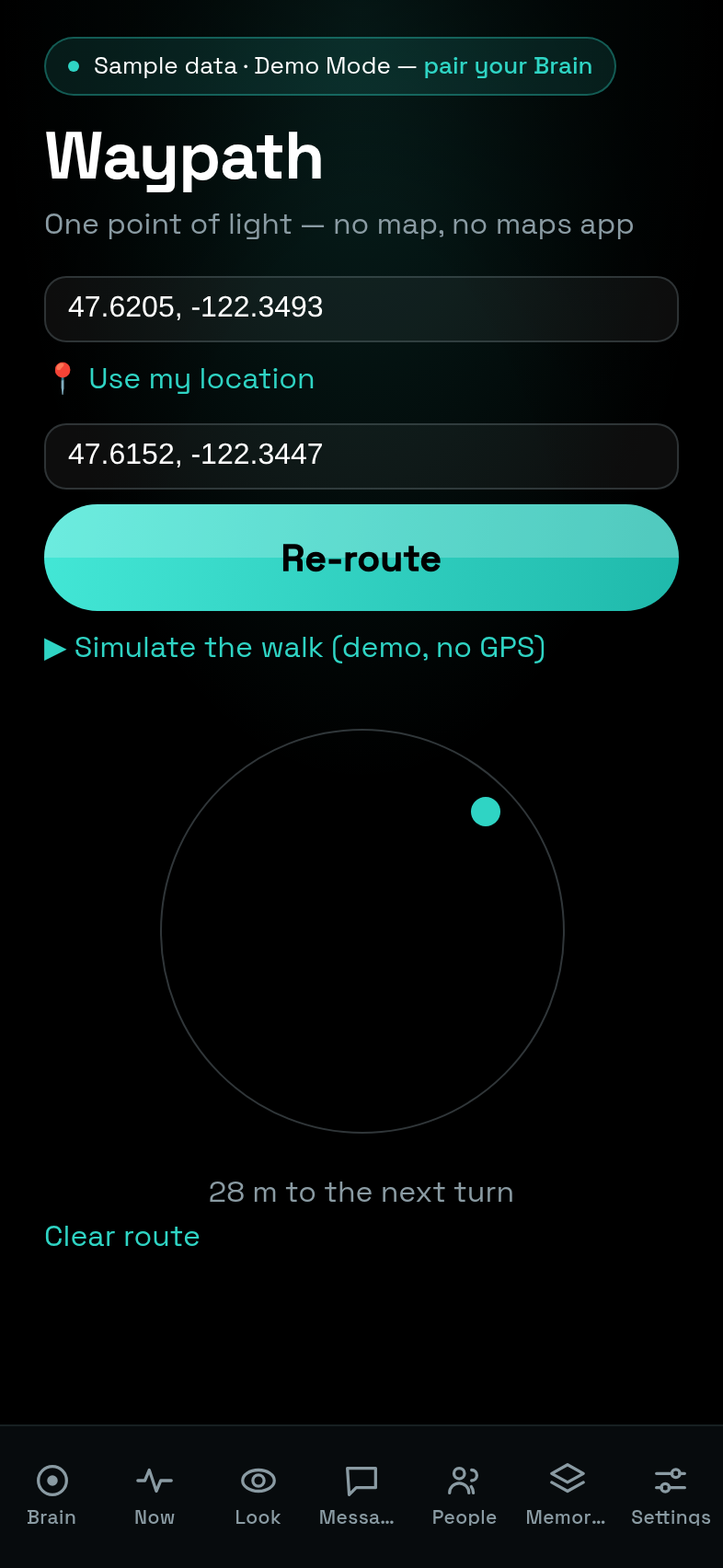
- Waypath — "one point of light — no map, no maps app." Enter (or use) your location and a destination; a real OSRM route (the default public server, self-hostable — the router URL is a swap-in seam) becomes a single dot on a ring plus a distance line ("28 m to the next turn"), bearing-corrected as you move. A "Simulate the walk" link ticks a fake GPS along the actual route so the whole screen is demoable at a desk — that is exactly how the screenshot above was taken.
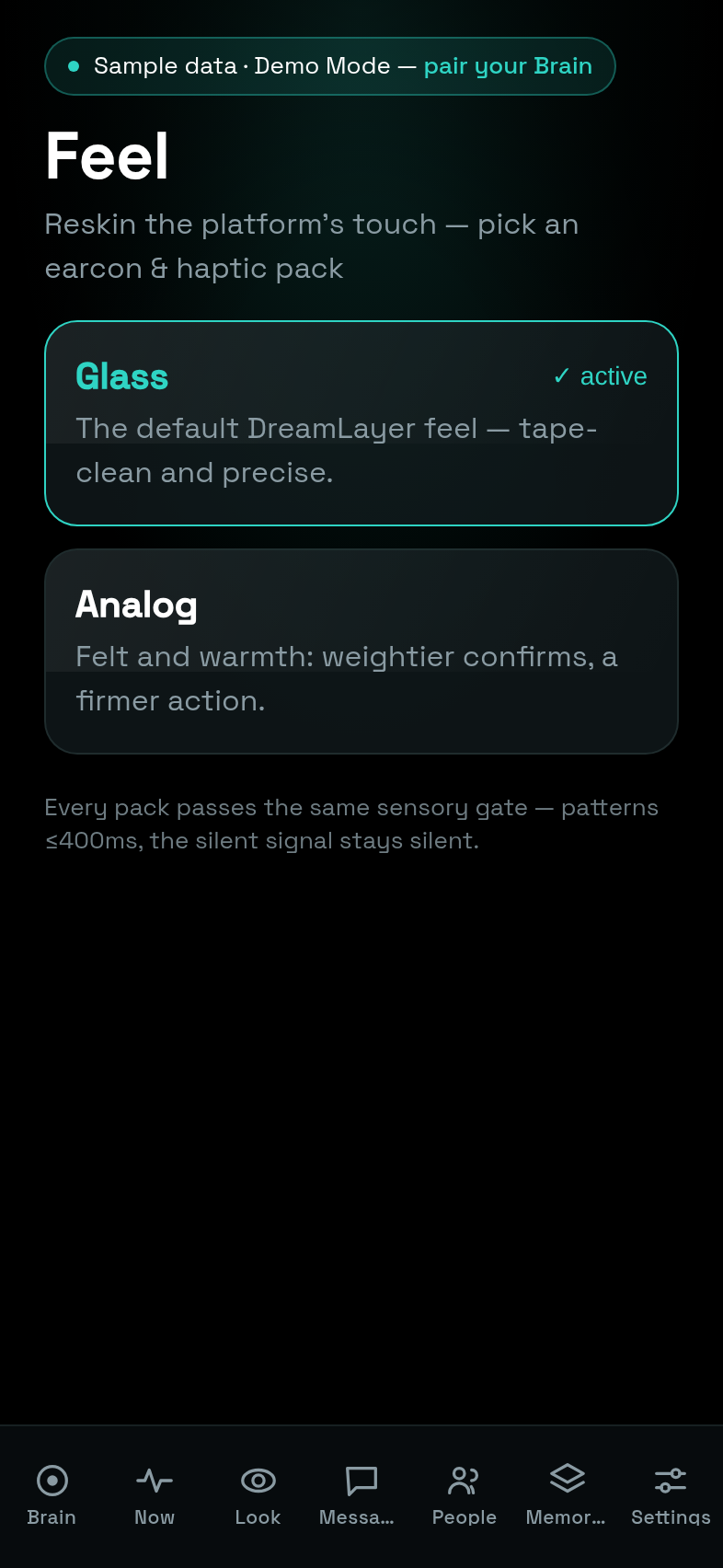
- Feel — the earcon/haptic pack picker. Two bundled packs today (Glass, the default; Analog, weightier), applied app-wide and persisted; the footer states the contract: "Every pack passes the same sensory gate — patterns ≤400ms, the silent signal stays silent."
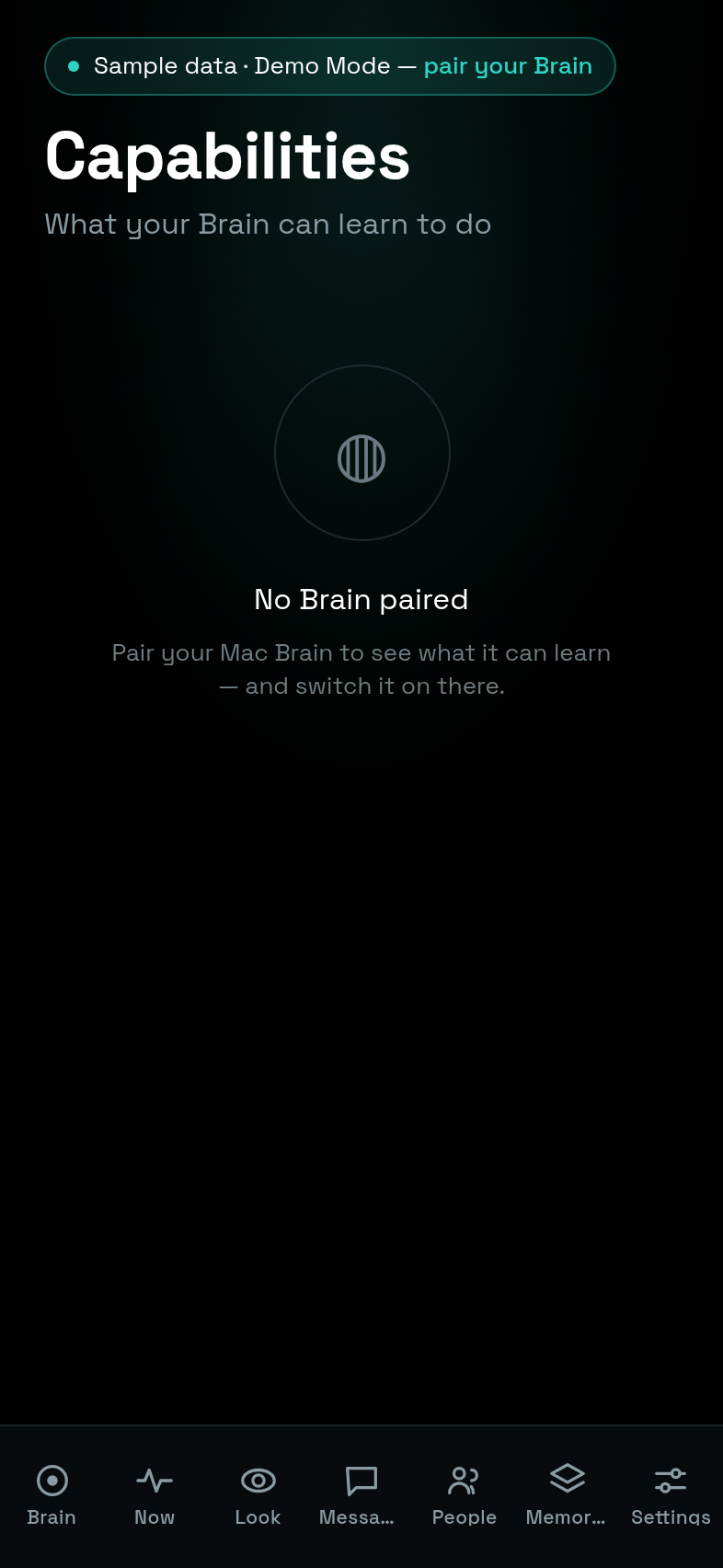
- Capabilities — the phone-sized view of the capability report: what your paired Brain can also learn to do, sorted by impact, with the honest footer "the phone never installs code." Shown unpaired above — its real content needs a Mac on the LAN.
- Device Vitals — the audience for the glasses' TEL telemetry frames: heap now/peak with a text sparkline, crash and veil counts, cards shown/dismissed rates, figments banished. Empty ("No telemetry yet") until real glasses stream it — the honest pre-hardware state.
- What the cloud can see and Brain — the tier ladder — two small
trust screens: the first renders
GET /dreamlayer/cloud(see DreamLayer Cloud); the second rendersGET /dreamlayer/brain/tiers— every tier with its measured latency and reliability, and a swap control. That ladder is the Bring-Your-Own-Brain ceremony: the moment a Mac joins, you watch answers get faster and richer, tier by tier.
Onboarding
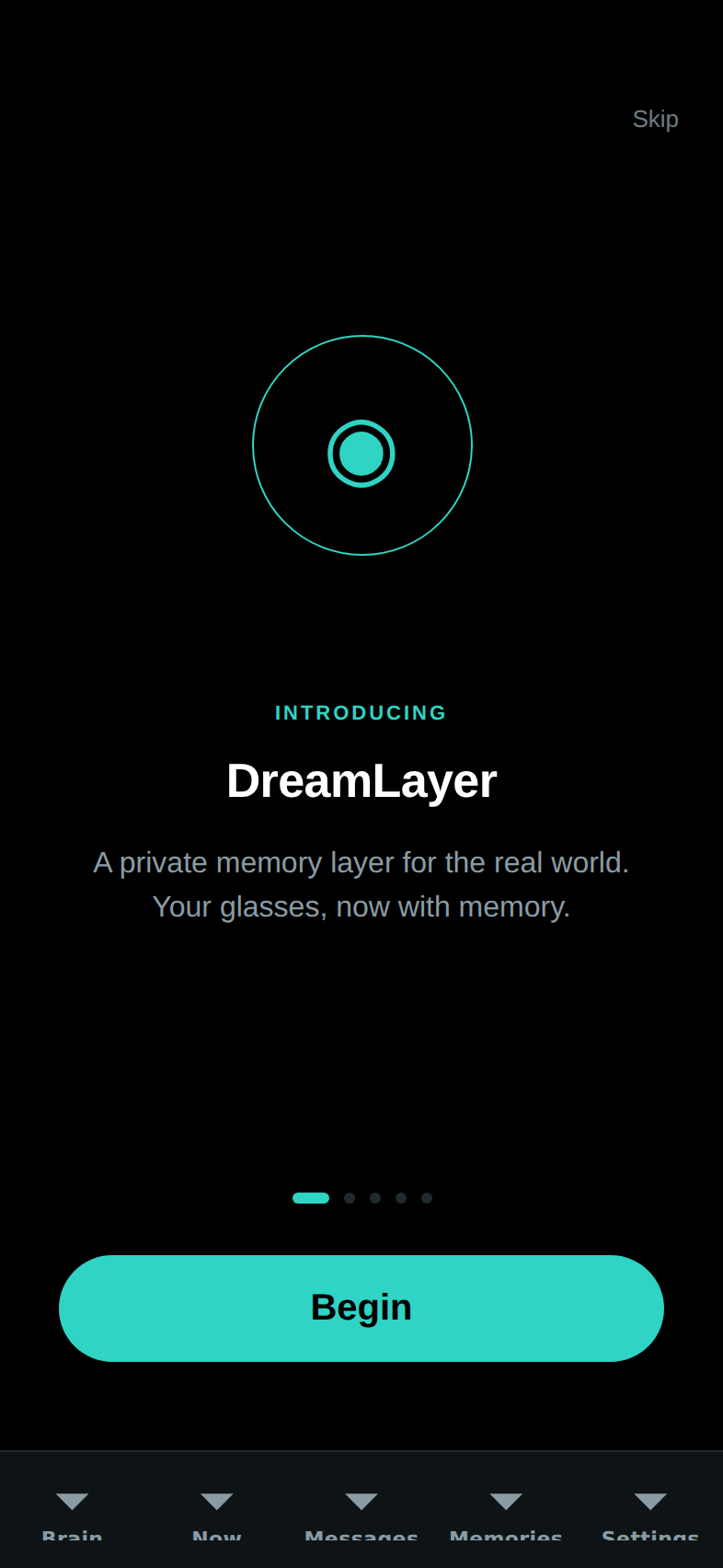
Six steps — welcome, how it works, recall, privacy, a try-the-camera look, pair — with animated transitions, the pairing ring, and QR scan. Finishing (or skipping) lands on the Now tab.
Services and design system
- Notifications (
src/services/notify.ts) — permission-memoized local pushes for new briefs and messages; silent no-op on web or without permission. Seam: on a real device,expo-notificationsneeds install permission granted. - Pairing codec (
src/services/pairing.ts) — thedreamlayer:code, byte-compatible with the Python implementation. - Earcons (
src/services/sound.ts) — the app ships the actual recorded clips (assets/sounds/: five "hey"/"hello" greetings, four listens, four watch-outs, three looks, two chimes) with variant rotation that never repeats back-to-back. - Haptics (
src/services/haptics.ts) — no longer four buzzes but a data-driven vocabulary of fourteen named signals (confirm, action, attention, interrupt, veil_on/veil_off ramps, commitment_crack and _bloom, truth_flag, figment_deployed — and answer_ahead, which is silence by design), every pattern at most ~400 ms, plus TinCan replaying the sender's actual tap rhythm. The full table is in Earcons and haptics. - The BLE bridge (
src/ble/) — the glasses wire, in pure TypeScript:framing.tsis the 4-byte length-prefix protocol ported byte-for-byte from Python (pinned to Python-generated vectors), andbridge.tsis a transport-injected state machine — MTU chunking, streaming reassembly, reconnect backoff (0.5 s doubling to 8 s), and routing of inbound cards, figment acks, lens emits, and TEL telemetry. Seam: the native adapter (transport.blePlx.ts, react-native-ble-plx) loads lazily, returns null in Expo Go/web, and still carries placeholder service UUIDs marked for the bench — the real IDs need a Halo on a desk. - The lens relay (
src/services/lensRelay.ts) — closes the glass-to-Brain-to-glass loop: a running lens's rate-limited emit rides the bridge toPOST /dreamlayer/rc/emit(anaskemit runs the Brain and pushes the answer back), and host text streams into the lens's slot viarc/feed. See the Lens Builder.
Design system
src/ui/ implements the DESIGN.md doctrine: dark and luminous (background
black, surface #0E1416, memory teal #2FD4C4, attention coral, one accent
per surface), an 8 pt spacing grid, a five-level type scale with an eyebrow
style, and motion tokens (180/240/400 ms, one standard ease) with
useEntrance fade-and-rise and usePressScale spring on every touchable.
The recent material overhaul raised the finish without touching the
doctrine: the whole app now sets in Space Grotesk (the brand face,
shared with the landing page; loaded via @expo-google-fonts/space-grotesk
with the weights mapped explicitly in src/ui/theme/fonts.ts, since custom
RN fonts ignore fontWeight), surfaces gained real depth through
expo-blur and expo-linear-gradient (the CineBackdrop ambient
gradient behind every screen), and the tab bar draws its own TabIcon
set instead of the platform defaults.
Primitives: Screen, ScreenHeader, Card, Section, Tappable,
EmptyState, StatusPill, PillButton, ConnectorCard with SwitchRow
and Bullet, QrScanner, PrimaryButton, DemoBanner, plus the
HUD-mirror components (HaloMirror, CardPreview, DreamCanvas,
HorizonPreview) that reuse the glasses' exact palette as QA truth.
The App Store kit
The package now carries everything a store submission needs, checked into the repo rather than living in someone's browser session:
- fastlane (
phone-app/fastlane/): Appfile, Fastfile, and a Deliverfile drivingdeliver, with full metadata (name, subtitle, description, keywords, categories, review notes) underfastlane/metadata/in nine locales — en-US, de-DE, es-ES, fr-FR, it, ja, ko, pt-BR, zh-Hans — plus a screenshots directory in the layoutdeliverexpects. - In-app i18n (
src/i18n/): the same nine languages — and no longer just the chrome: every tab screen's body is localized (placeholders, section labels, day groups, empty states, interpolated counts), a catalog-parity gate in the test suite fails the build if any locale drifts from the English key set or ships an empty string, and icon-only controls carry screen-reader labels. - Privacy: every locale's
privacy_url.txtpoints at the real policy,https://dreamlayer.app/privacy.html, served from the landing site in this repository.
Running it
cd phone-app
npm install
npx expo start        # scan the QR with Expo Go (iOS/Android)
npx tsc --noEmit      # typecheck (strict)
npm test              # the phone's own test suite
The package finally has its own test suite: Jest, run as two projects —
"logic" (ts-jest over the pure-TS stores, services, BLE framing/bridge,
pairing) and "component" (jest-expo with React Native Testing Library over
the screens) — 119 test cases across 21 files at time of writing,
covering the framing parity vectors, the reconnect state machine, the
connection store's hysteresis, the outbox, Waypath geometry and routing,
the pack gate, and the new screens. tsc --noEmit remains the standing
typecheck, and the pairing codec's Python twin is still pinned by the
host suite.