Your privacy
Glasses that listen and remember are only acceptable if you hold the off switch — physically, obviously, and everywhere at once. This chapter is the plain-language contract.
The one gesture that stops everything
Hold the button. The glasses go completely deaf and blind: no seeing, no hearing, no remembering, no cards, nothing. A shield fills the display so there is never any doubt about the state you are in. Hold again to come back.

This is not a "mute" that some features ignore. Every single capability in the product checks this one gate before doing anything.
Three levels of quiet
People confuse these in every product; DreamLayer keeps them distinct:
| You want | Use | What happens |
|---|---|---|
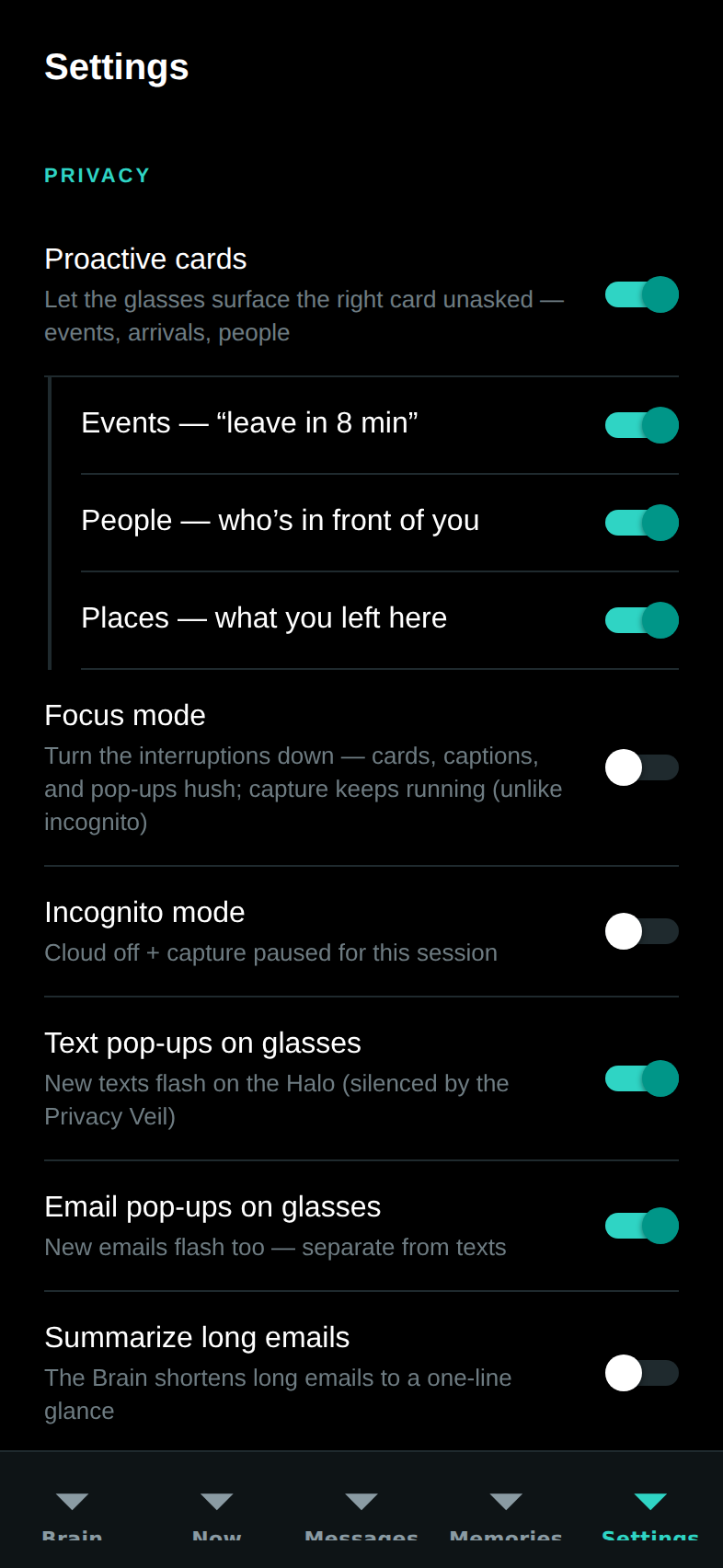
| "Stop interrupting me" | Focus mode — "Hey Juno, focus mode" | Cards, captions, and pop-ups pause for 25 minutes. It still remembers quietly. True emergencies still get through. |
| "Stop remembering for a while" | Incognito — "go incognito" | Nothing is kept, and the cloud is forced off, until you say "back on the record." |
| "Be off. Completely." | The Veil — hold the button | Deaf and blind. Nothing in, nothing out, nothing kept. |
Where your data lives
Short version: on your own devices, and it works that way by default.
- Your memories, your people, your promises, and everything Juno has learned about you live on your phone and (if you added one) your Mac. The Mac reads your files in place on your own machine — nothing is uploaded to make search work.
- The cloud switch exists for one thing: rare, hard, general-knowledge questions that nothing in your home can answer. When it is off, the product simply says "nothing local matches" instead of reaching out.
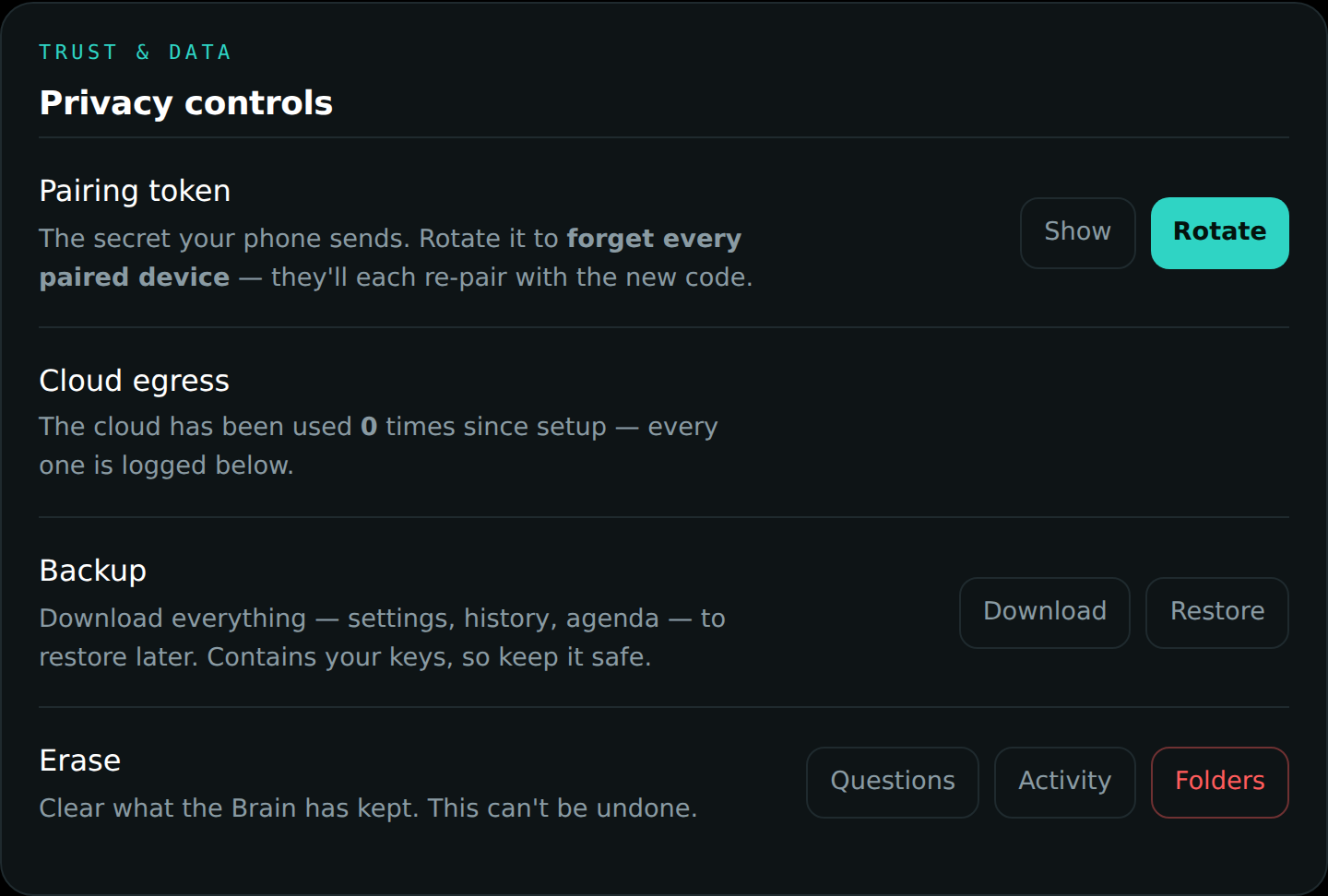
- Even when cloud is on, your personal things — files, faces, people, memories, messages — are never what gets sent. And every single time anything does go out, it is counted and listed in plain sight on the Mac panel, so "how often does this thing phone home" has an exact, visible answer at all times.
People — the hard line
- It never identifies strangers. There is no giant face database to search, by design — the capability simply does not exist in the product. It recognizes only people who were introduced to you.
- Names come only from introductions. When someone says "Hi, I'm Maya" — or you say "meet my colleague Sarah" — the name is kept and a card says so plainly ("KEPT - on your device"). Only a real introduction ever matches: ambient chatter, an overheard name, a bystander — none of it qualifies. Say "forget that" and it is gone; the Veil closes the ear entirely. (Prefer the old ask-first flow? The offer-and-confirm mode still exists as a setting.)
- No recordings. DreamLayer keeps meaning — "Maya mentioned the lease" — never audio or video of anyone.
Everyday controls worth knowing
- "Forget that." Instantly erases the last thing it captured and shows you a confirmation card.
- Private zones. Mark a place as never-record; the glasses honor it automatically whenever you are there.
- Nothing sends silently. If you use it to reply to a message, you see the exact message and approve it first — the product physically cannot send without that approval.
- Quiet hours. Set a nightly window where the cloud is off on a schedule.
- Erase and take-out. The Mac panel can erase your history selectively, and can download a complete backup of everything it knows — your data is yours to take.
All the switches live together in the phone's Settings:
What was deliberately not built
No stranger identification. No voice cloning. No covert recording modes. These are not features waiting behind a setting — they were designed out of the product on purpose.