The desktop Brain app
The Brain is now a real Mac app: a signed, notarized DreamLayer.dmg you
double-click, living in the menu bar, serving a cinematic control panel in
its own native window. Underneath it is the same open Python server
(host-python/src/dreamlayer/ai_brain/) — anything in this chapter also
works from a plain python -m dreamlayer.ai_brain.server on any OS, in any
browser.
Every screenshot below is the actual panel, booted from this repository and captured headlessly with a seeded index.
Getting it
- Download: the site's "Download for Mac" buttons point at the latest
notarized dmg in the public
dreamlayer-releasesrepository. CI builds it on every version tag: py2app bundle, every nested library signed, hardened runtime, Apple notarization, stapled. - On first launch it mints a pairing token, starts the server on port 7777,
begins the folder watcher, brief scheduler, and calendar sync, and sits
in the menu bar (no Dock icon): a status dot, Open panel, Sync
now, and Incognito. State lives in
~/.dreamlayer; the app never writes inside its own bundle. A login LaunchAgent is one flag away. - Open panel opens a native window (a WebKit view onto the same localhost page); off macOS, or if WebKit is unavailable, it falls back to your browser. Same HTML either way.
The app layout — nine views
The panel is now a real application layout: a left sidebar, one view at a time.
Home
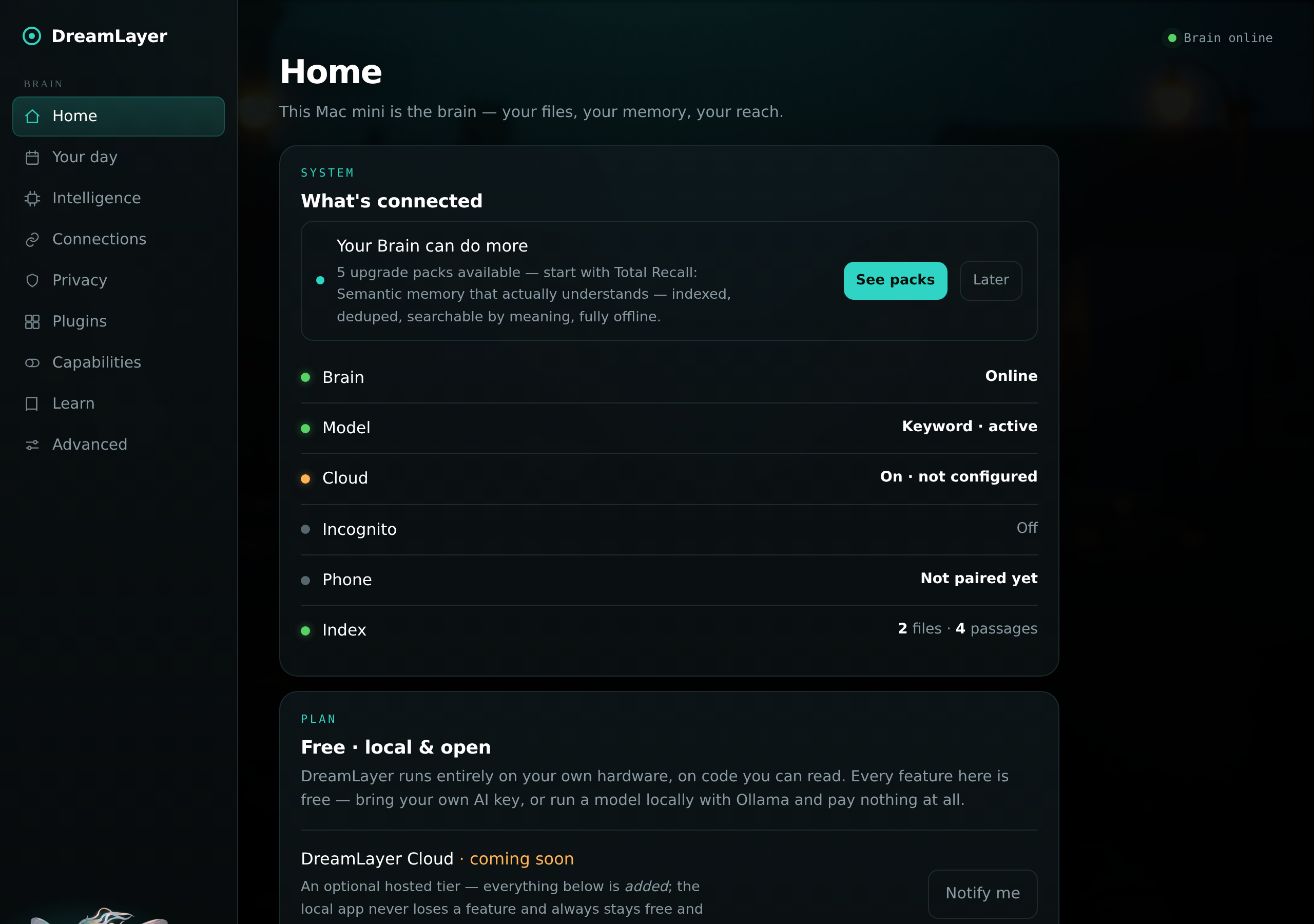
What's connected (Brain, model, cloud, incognito, phone, index) polled live, a first-run nudge when upgrade packs are available, and the Plan card: "Free - local & open" — with the honest framing that every feature in the app is free, and a working notify-me waitlist for DreamLayer Cloud. Home also carries "Your memory is a file" — the panel's Memory Grep card: where the SQLite memory store lives, a one-click read-only browse (Datasette, local-only), and an export-a-copy button, so owning your data needs no terminal.
Your day
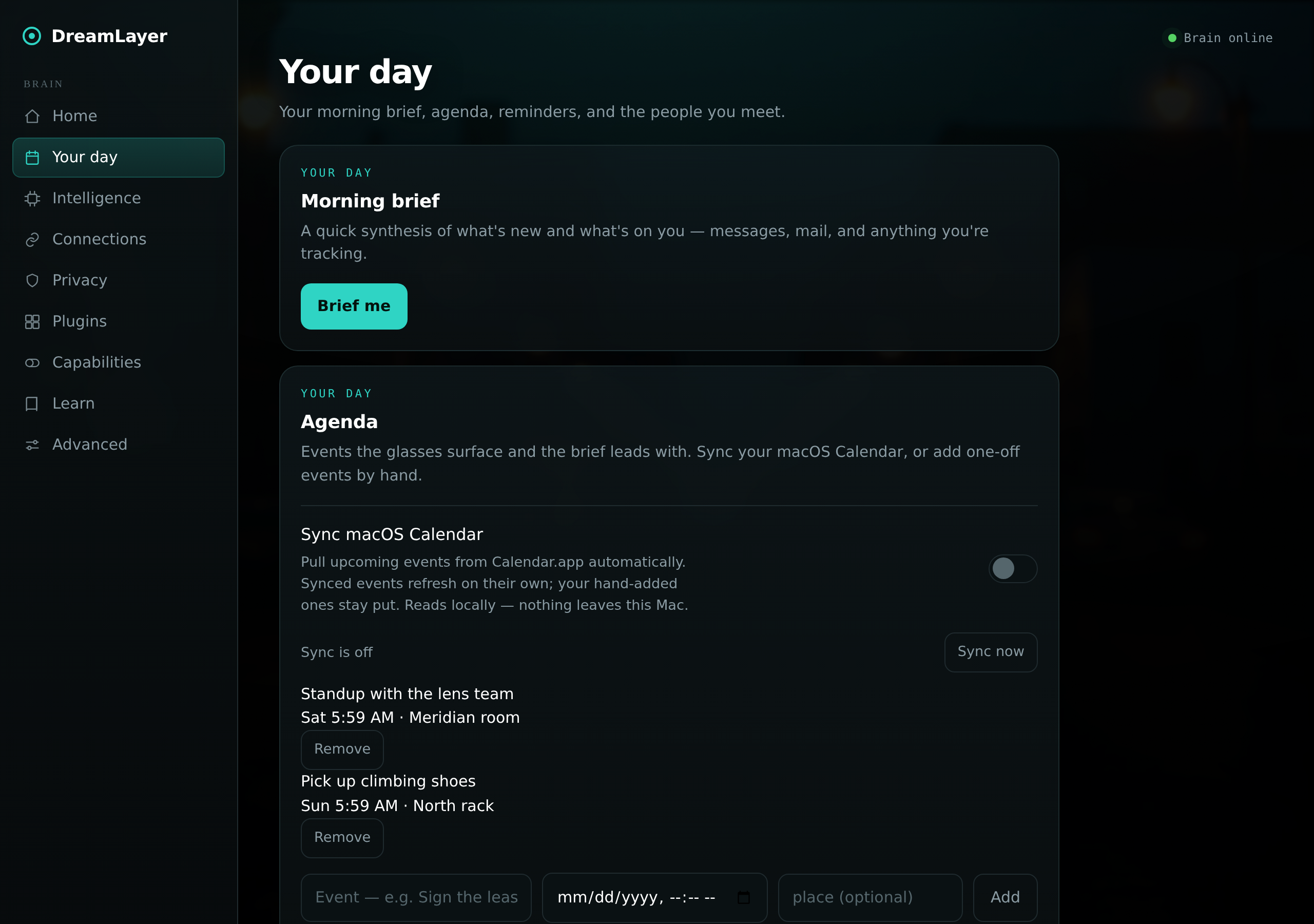
The morning brief (compose on demand; the extended long brief adds
sections — Today, Due, Waiting on you, Messages spelled out, Yesterday —
cached at GET /dreamlayer/brief/long/latest and rendered by the phone's
Brief screen), the agenda with macOS Calendar sync, the unified people list
(the dossier registry merged by name with the glasses' social memory —
relationship, notes, owed-favor chips, a "met on Halo" badge), and
Reminders.
Intelligence
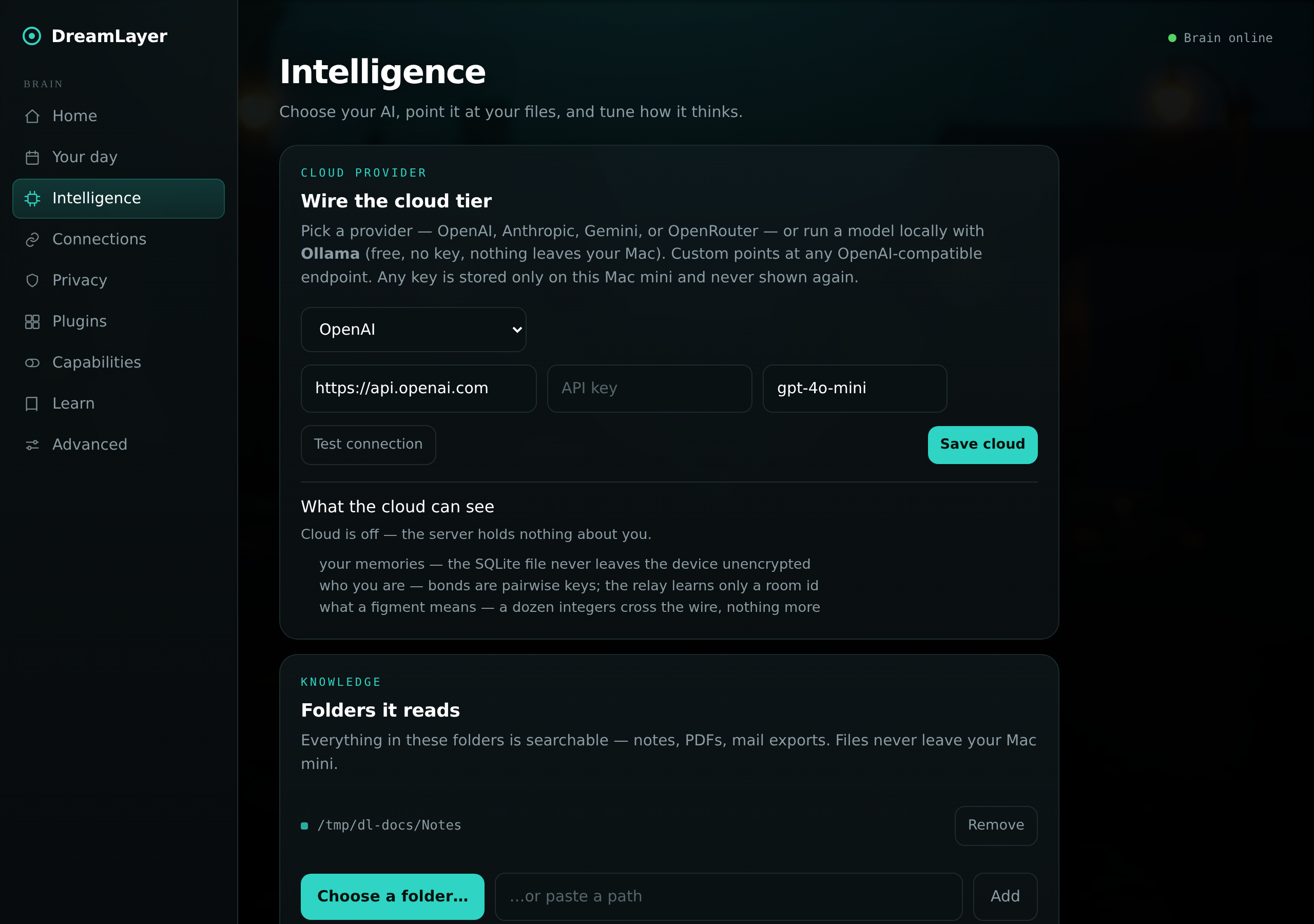
Folders it reads (server-side browser, drag-and-drop, filters, reindex),
Ask your stuff, and the Model card — now multi-provider: the local
model is Ollama with per-model status and one-click pulls, and the cloud
tier speaks seven provider presets across three wire formats — OpenAI,
Anthropic, Gemini, OpenRouter, Ollama-local (key-free), the DreamLayer
Cloud preset, and Custom for any OpenAI-compatible endpoint (LM Studio,
llama.cpp, and friends). Beside the cloud wiring sits the trust
centerpiece, "What the cloud can see" — rendered live from
GET /dreamlayer/cloud: what the server currently holds (with no cloud
configured, honestly nothing) and the three things it can never see —
your memories, who you are, what a figment means. See
DreamLayer Cloud.
Connections, Privacy
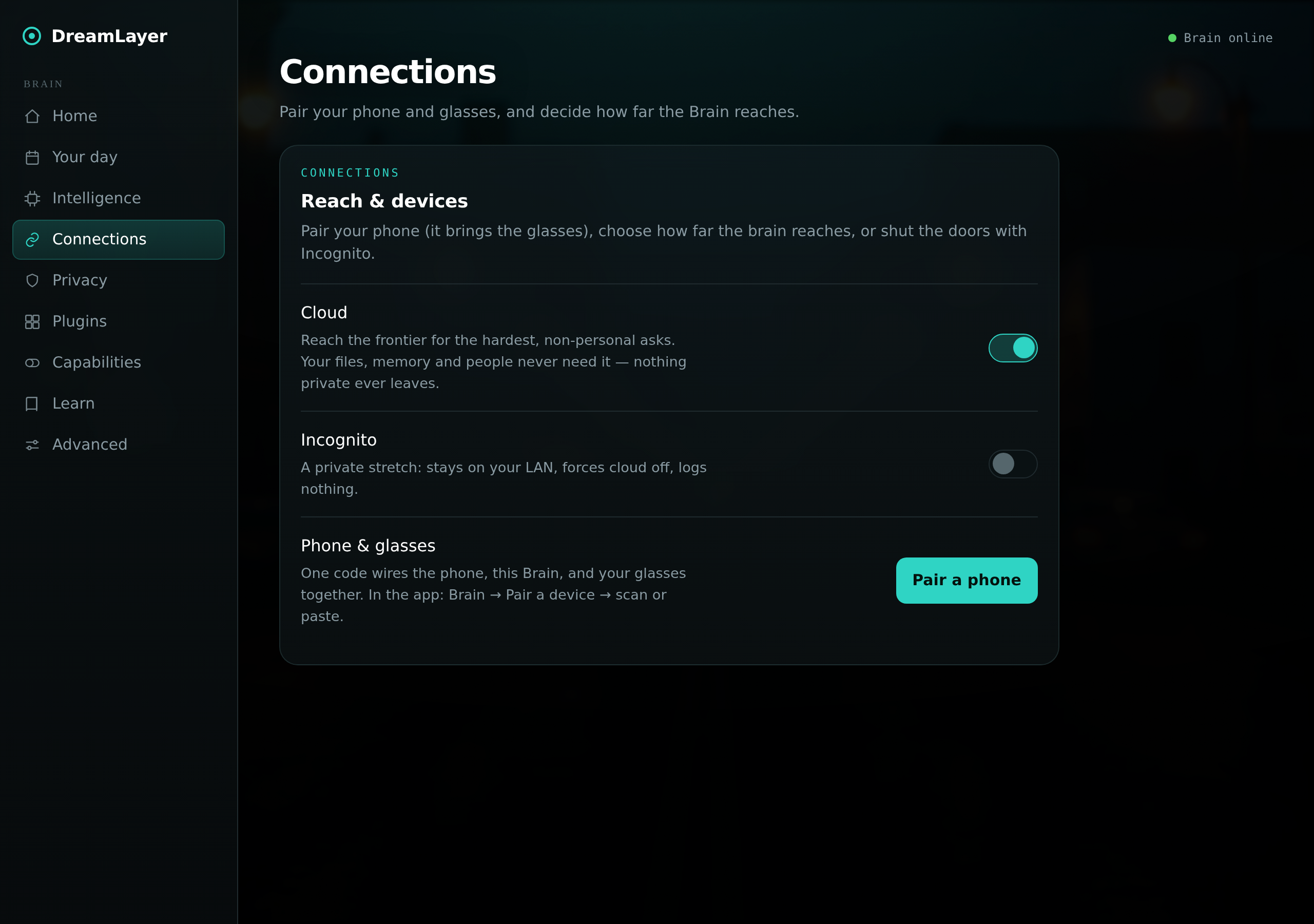
Pairing (one QR), the cloud and incognito switches, and message relay. The
Privacy view keeps the token, the egress counter, backup/restore, and
erase — plus the purge contract: the phone's "Erase all memories" now
reaches all the way here (POST /dreamlayer/memories/purge), dropping
every saved place while deliberately leaving people and reminders, which
are mirrors of their own surfaces.
Plugins
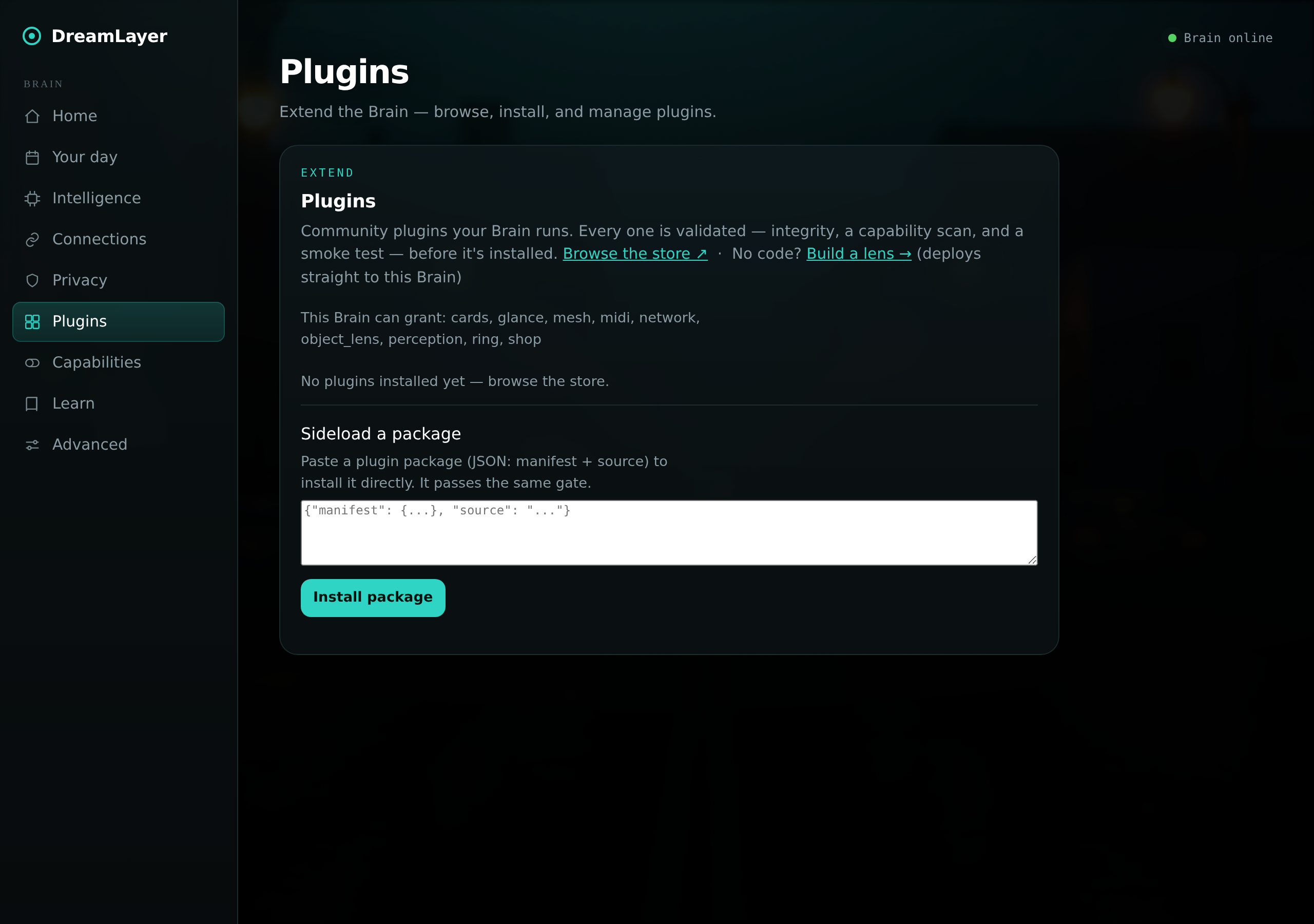
Installed plugins with their permissions, what this Brain can grant,
per-plugin remove, and sideloading through the same validation gate — plus
the door for people who don't write code: "Build a lens →" opens
the Lens Builder served by this very Brain at
/dreamlayer/build, where deploys land one click away. Phone
installs are real now too: the phone fetches the package from the registry
and sideloads it here, surfacing this Brain's actual verdict.
Capabilities
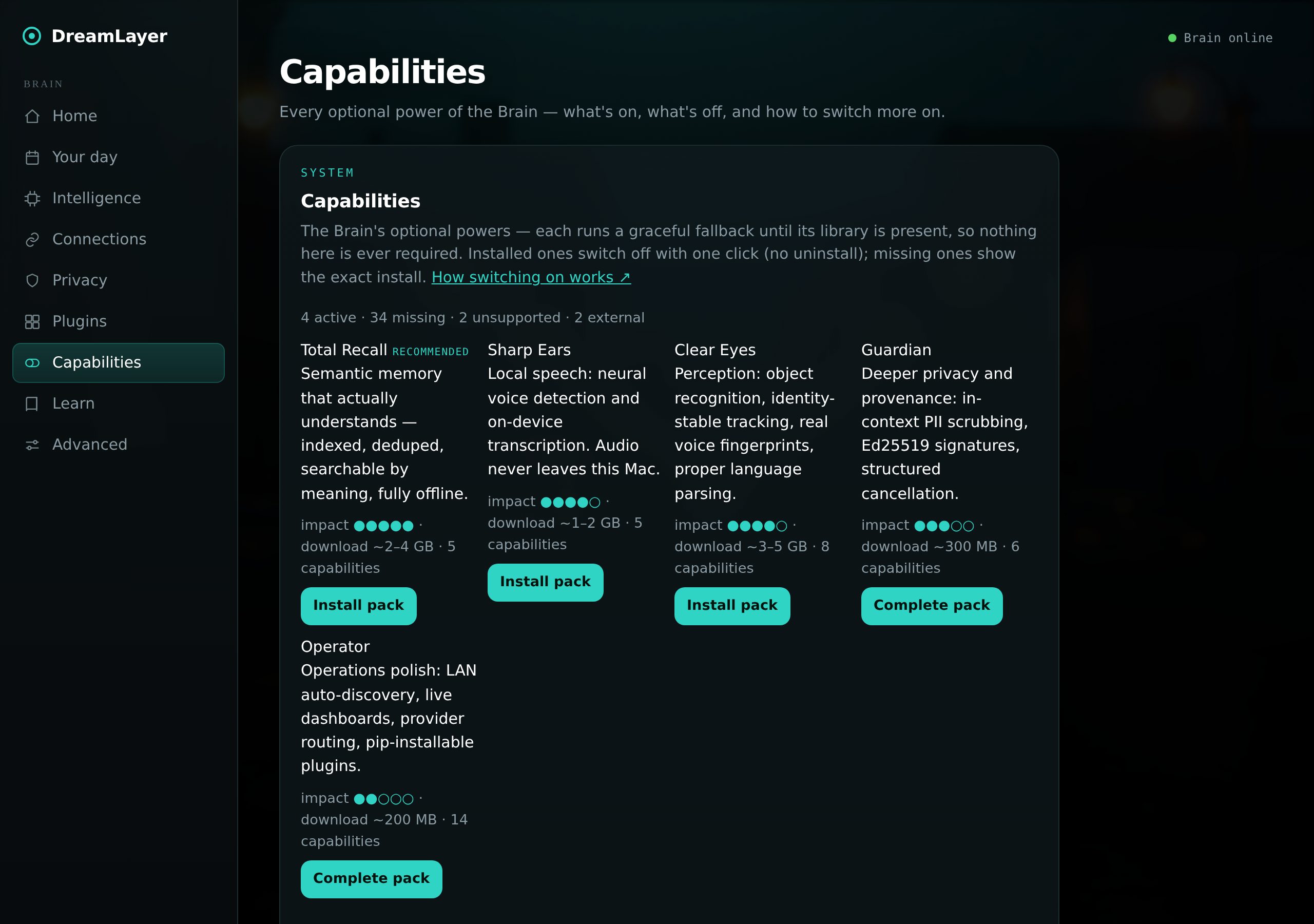
The live capability report: all 42 optional
capabilities grouped by tier, each with a status dot (active / off /
missing / unsupported / external), an impact rating, and either a one-click
Turn on / Turn off or the exact pip install to get it — plus the five
capability packs (Total Recall, Sharp Ears, Clear Eyes, Guardian,
Operator) with honest download sizes and one-click install on a source-run
Brain. The sealed .dmg ships two starters baked in: LAN auto-discovery
(zeroconf) and Ed25519 signing (cryptography); it cannot pip-install into
itself and says so.
Learn, Advanced
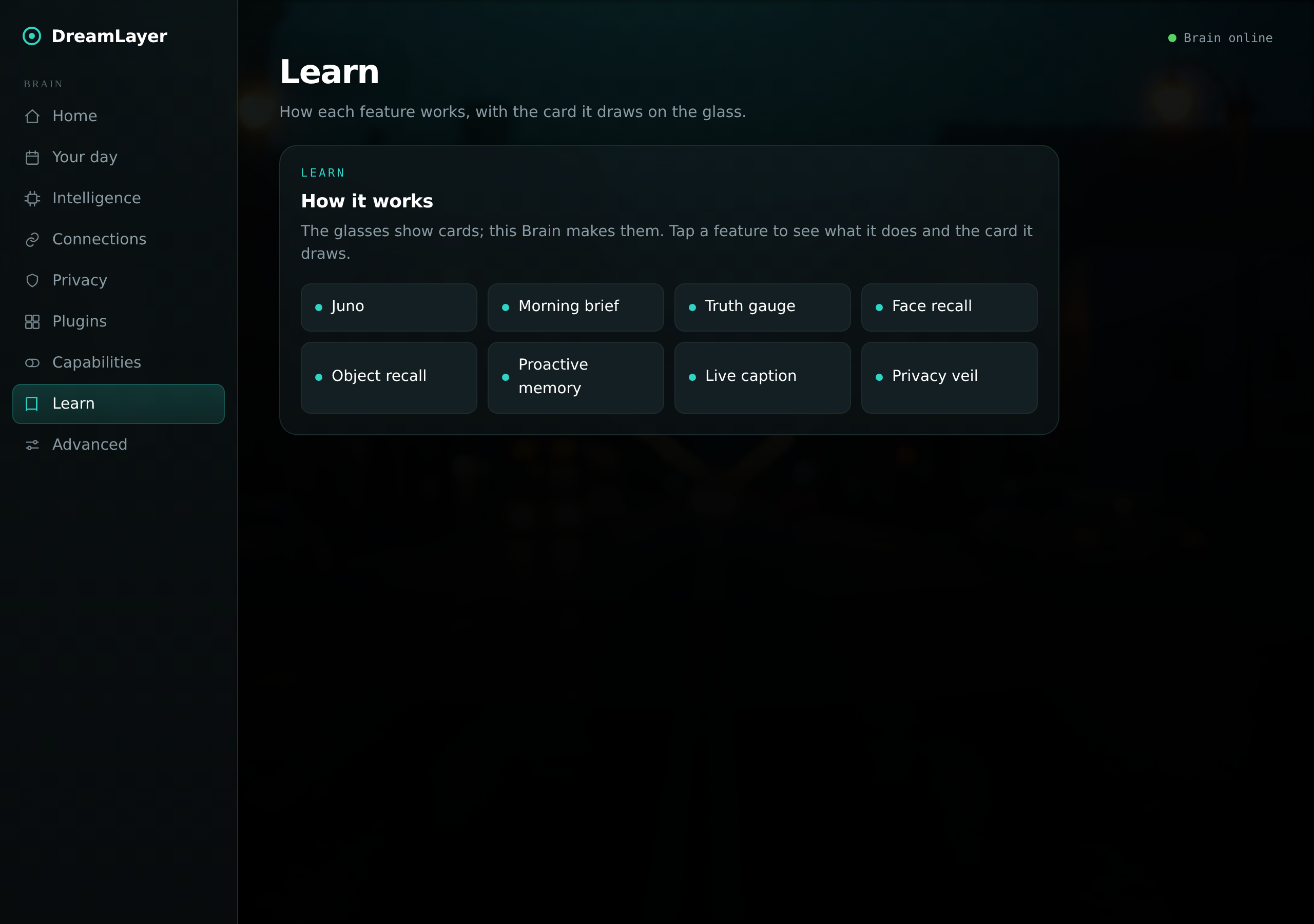
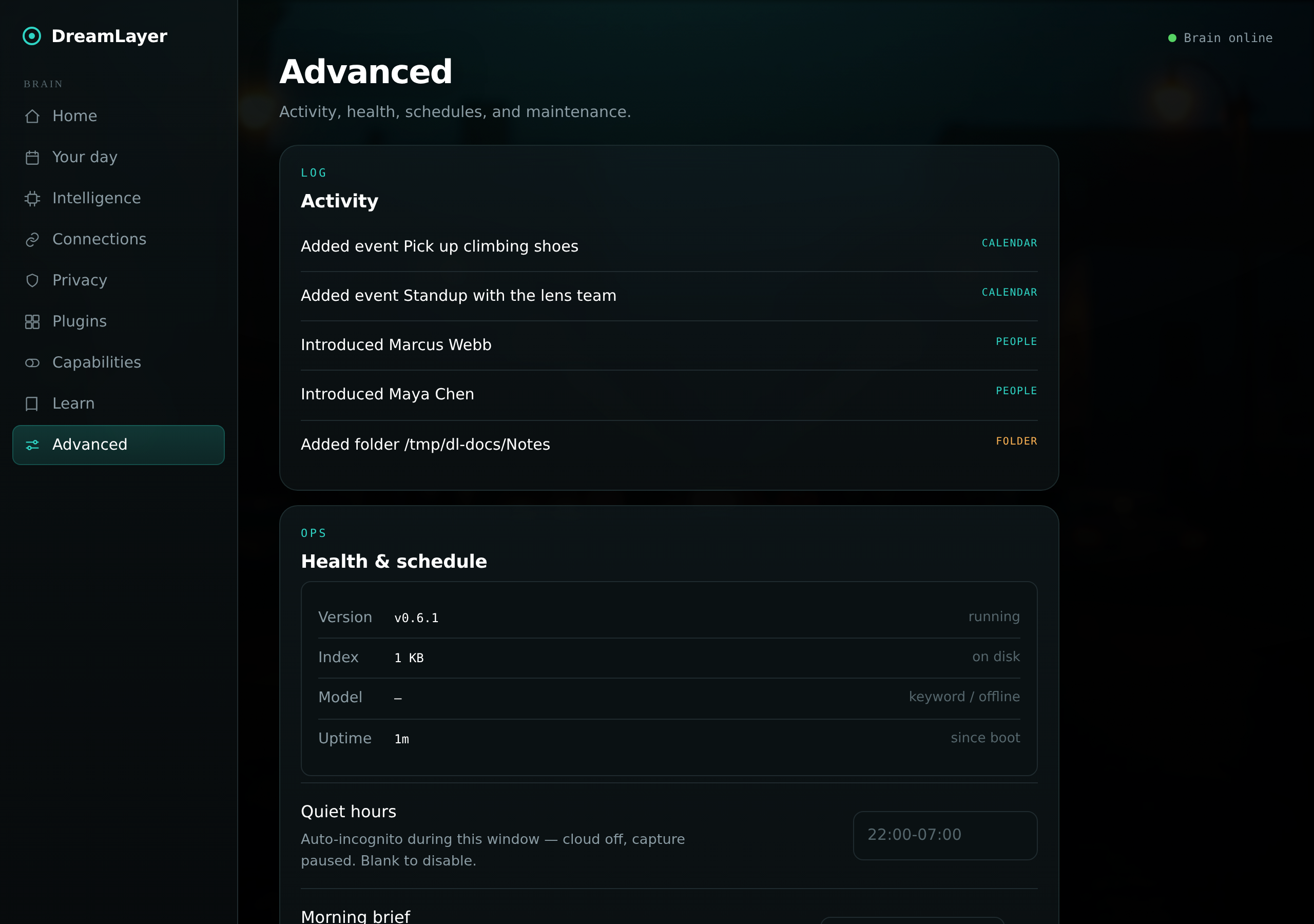
Learn is the in-app explainer gallery — eight real HUD cards (Juno, brief, truth gauge, face recall, object recall, proactive memory, caption, veil) as tappable chips. Advanced holds the activity feed and Health & schedule (quiet hours, brief hour, retention).
Running it from source
pip install -e "./host-python[profile-mac]"   # or plain -e ./host-python
python -m dreamlayer.ai_brain.server --token <token>   # port 7777, any OS
A bare run binds 127.0.0.1 only (the secure default). To pair a phone
over the LAN, pass --host 0.0.0.0 — and if no token was set, the server
mints a random one and prints it for pairing; an unauthenticated
network-visible Brain is no longer possible.
The dmg packaging lives in host-python/packaging/ (py2app setup, launch
shim, entitlements) and .github/workflows/build-macos-app.yml; the
menu-bar app and native window are ai_brain/menubar.py and
webview_window.py, both cleanly absent off macOS.